|
|
|
|
|
Requirements
To be able to use the TEE plugin for the Web Console your runtime needs to contain:
Install all required tests and project files and execute the tests, as described here.
The TEE Plugin for Web Admin Console
After the installation is successfully completed, the Web Admin Console is accessible in a browser through the following URL if you use a plain connection:
where <host> is the host where the OSGi Framework Implementation is running, and <port> is the port of the runtime's HTTP bundle, and may be omitted for the default 80. In case you want to use a secure connection to access the Web Admin Console, first you need to configure the runtime's HTTP bundle to establish secure connections. Then access the console using the following URL:
where <host> is the host where the OSGi Framework Implementation is running, and <port> is the secure port of the runtime's HTTP bundle , and may be omitted for the default 443.
Navigating on Your Test Results
You will be able to see all your projects/test results alongside their Status on the web console:
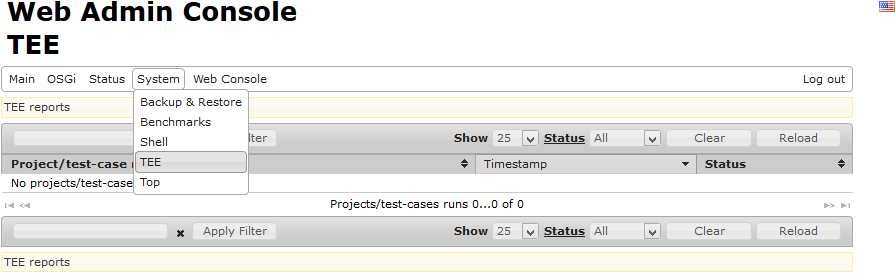
The web interface has the following facilities:
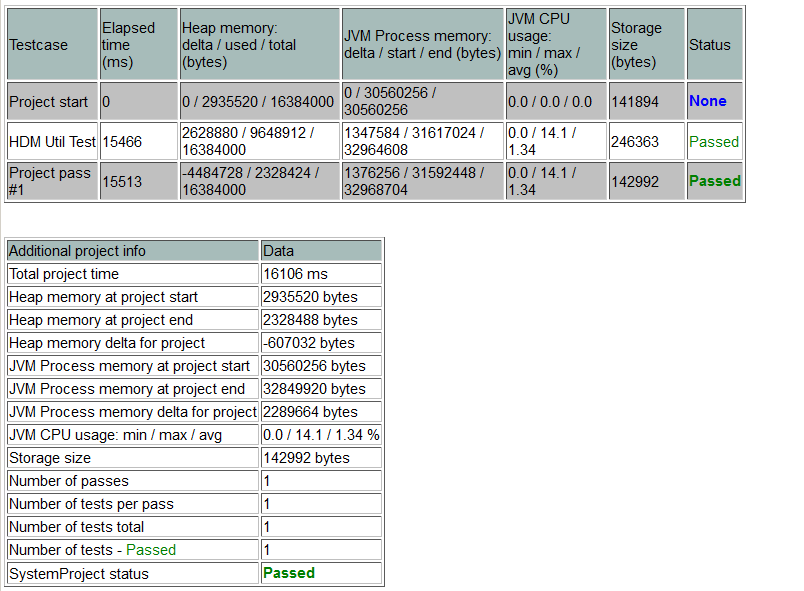
You can click on each project/test-case name to see specific detailed results, as seen bellow: