|
|
|
|
|
Handlers List
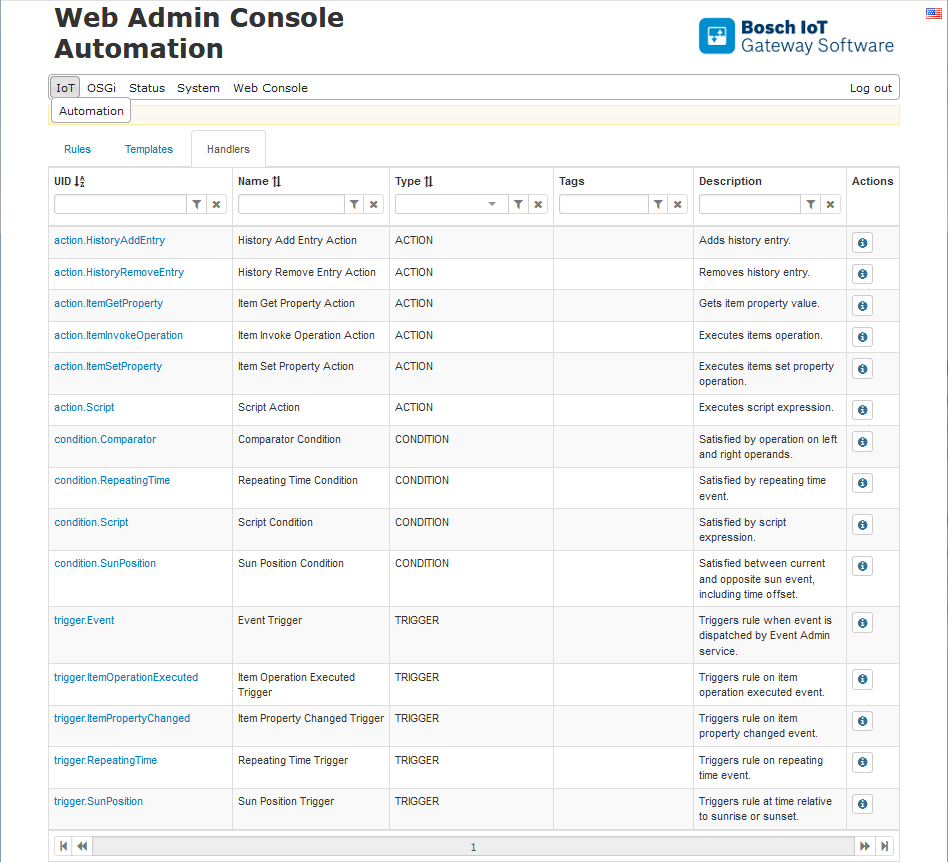
The list of all available Handlers is visible in the Web Console from the third main tab:
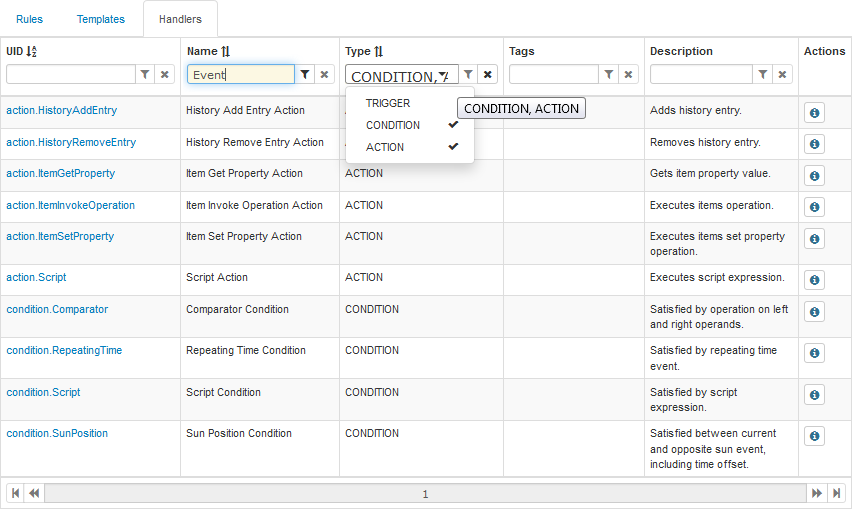
Handlers can only be viewed. However, their list is featured in a sortable table, and its elements can be filtered through the filtering widgets in the first row:
Handlers Details
To open the Handler Details page click the Details button  , located in the last column or simply click on the desired Handler's UID.
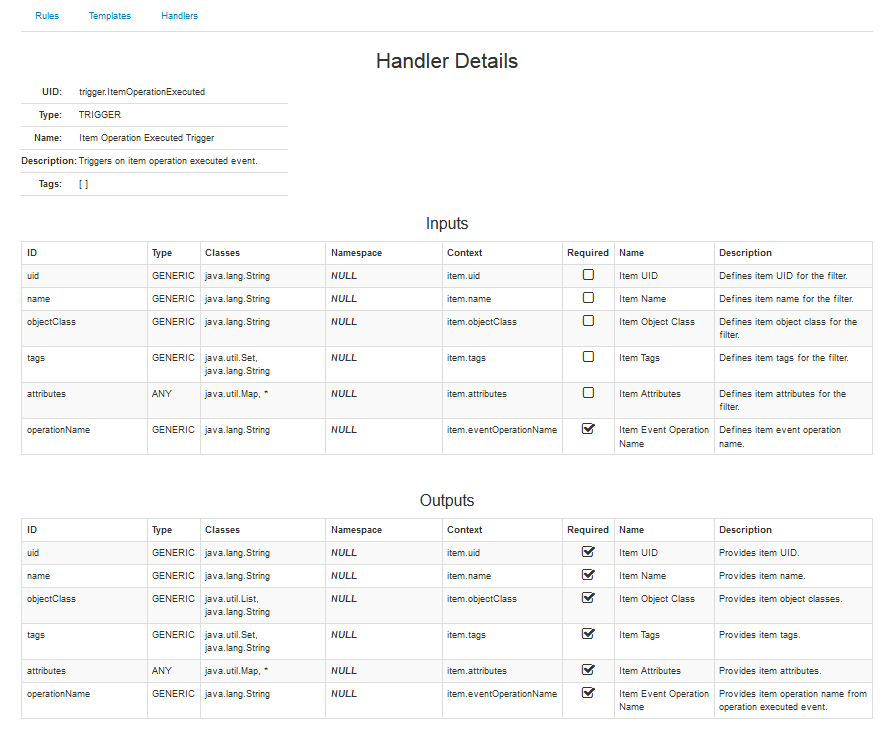
The General details, visible from the main window as well, are situated at the top of the page, followed by the detail information of the Inputs and Outputs if they are available.