This Page shows a short "how-to" use the Bosch IoT Gateway Software Home Connect module.
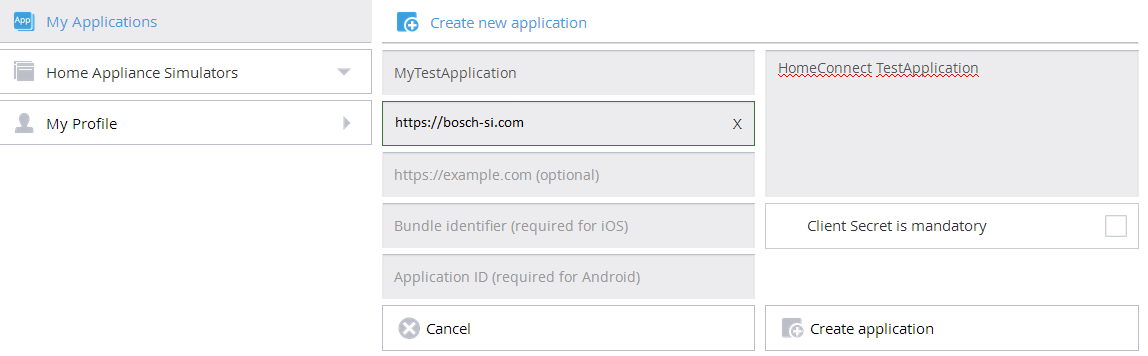
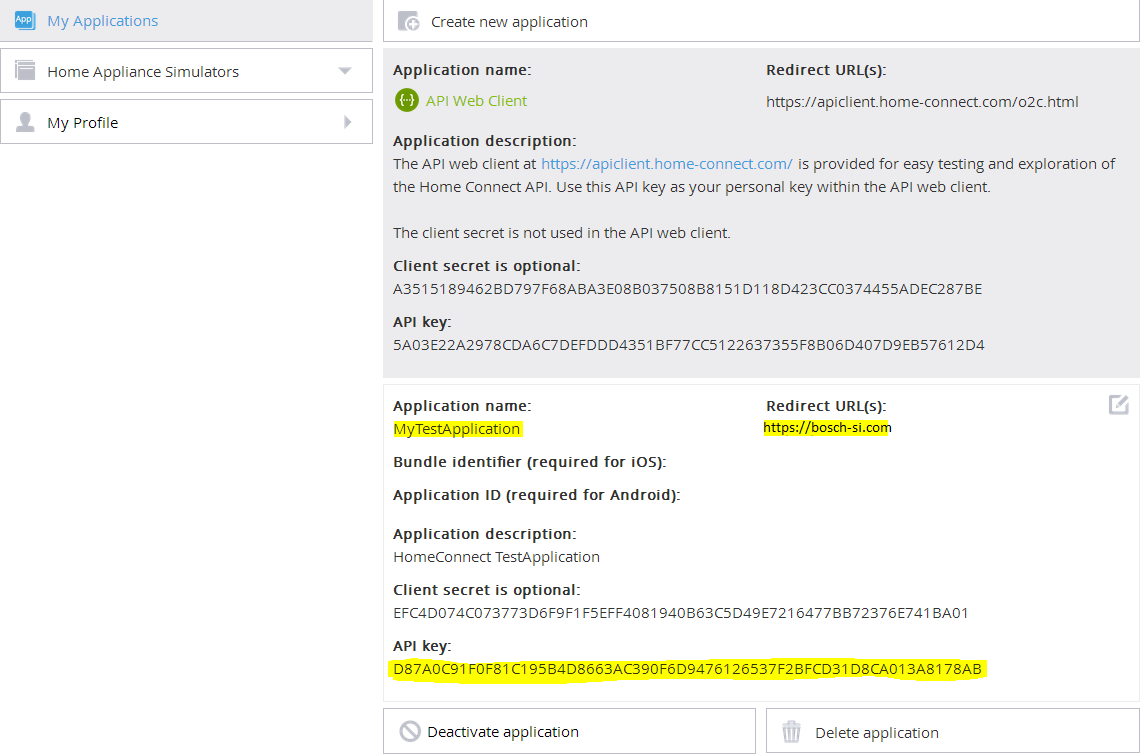
In the sample bellow we create a Home Connect Application (that would be used by the Home Connect module). For serverUrl we configure the test backend (test server with simulated Home Connect appliances),
Steps
First it has to be decided what Home Connect App should be used by the Home Connect module and to what backend server should it connect to.
Install the Home Connect module bundles (as described in the Setup Guide section).
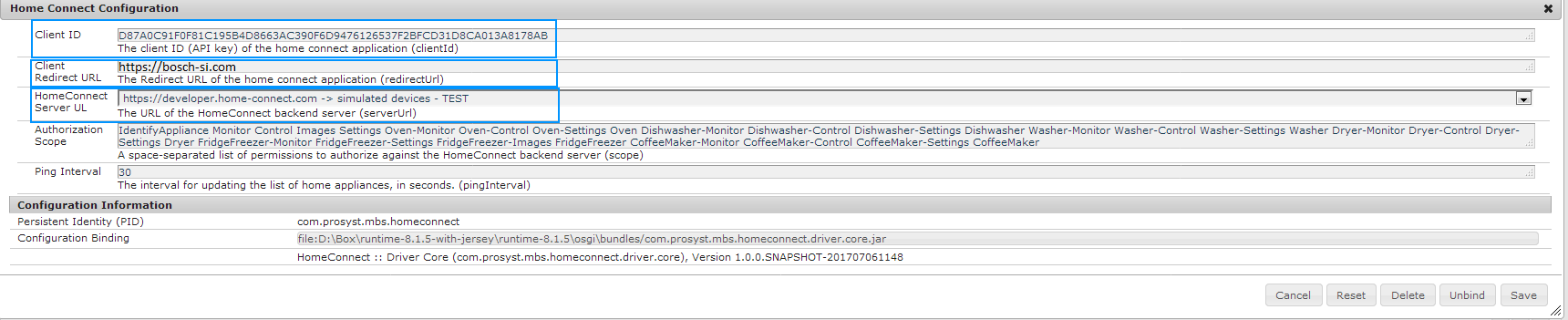
Open "http://<server>/system/console/configMgr" and open the "Home Connect Configuration"
Enter Client API key and Client redirect url from the already created Home Connect Appliaction (step 4.); select the Home Connect backend server (by default its the test server with simulated devices), then hit Save.
If Client API key belongs to a developer account that does not have the full set of access rights (partner account), the "Authorization Scope" property should be adjusted too. The user should delete the values that he/she does not have access to.
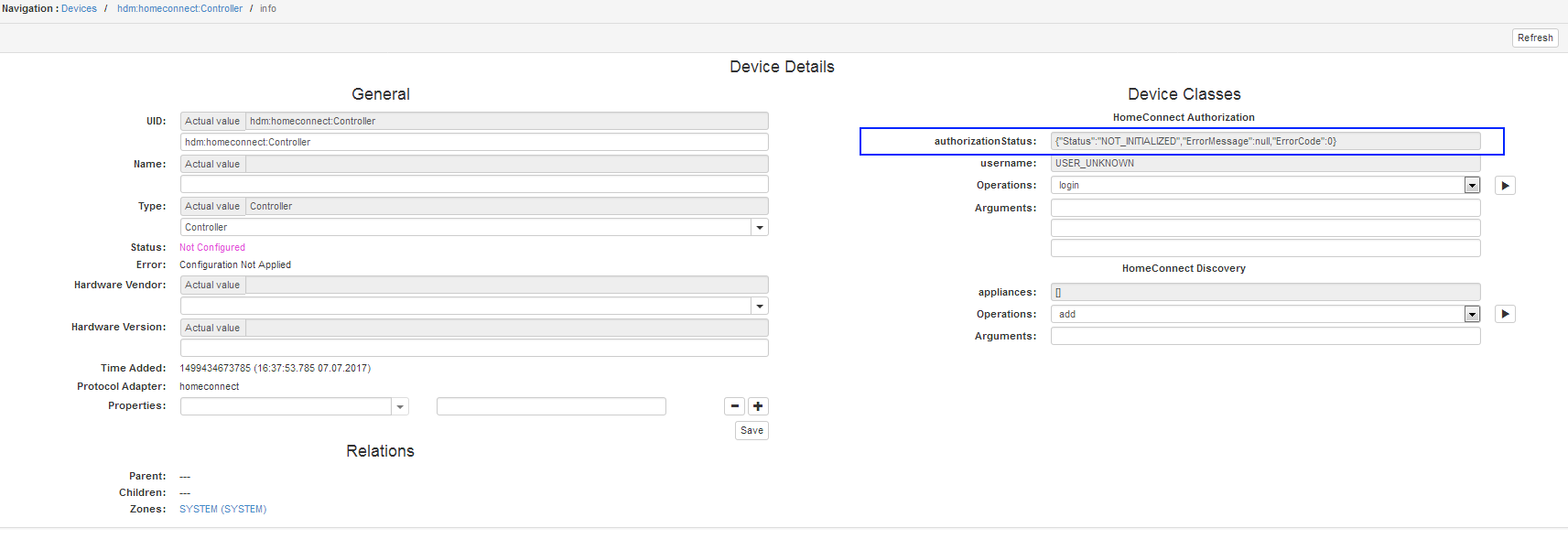
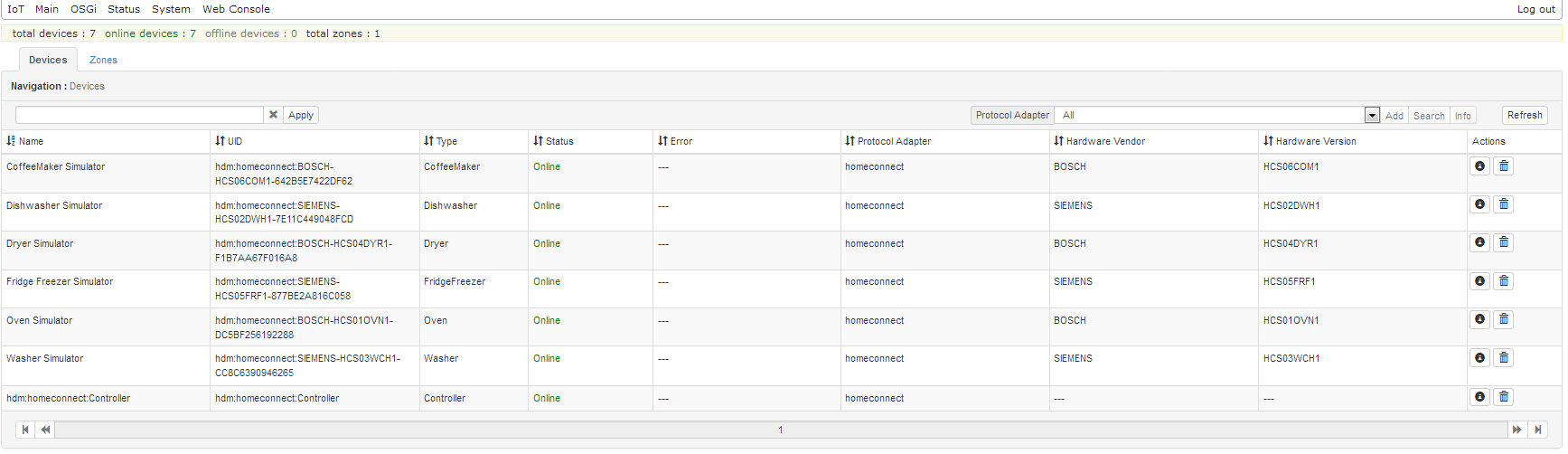
Go to "http://<server>/system/console/hdm". In the list of HDM Devices there should be the Home Connect Controller Device that is waiting to be initialized.
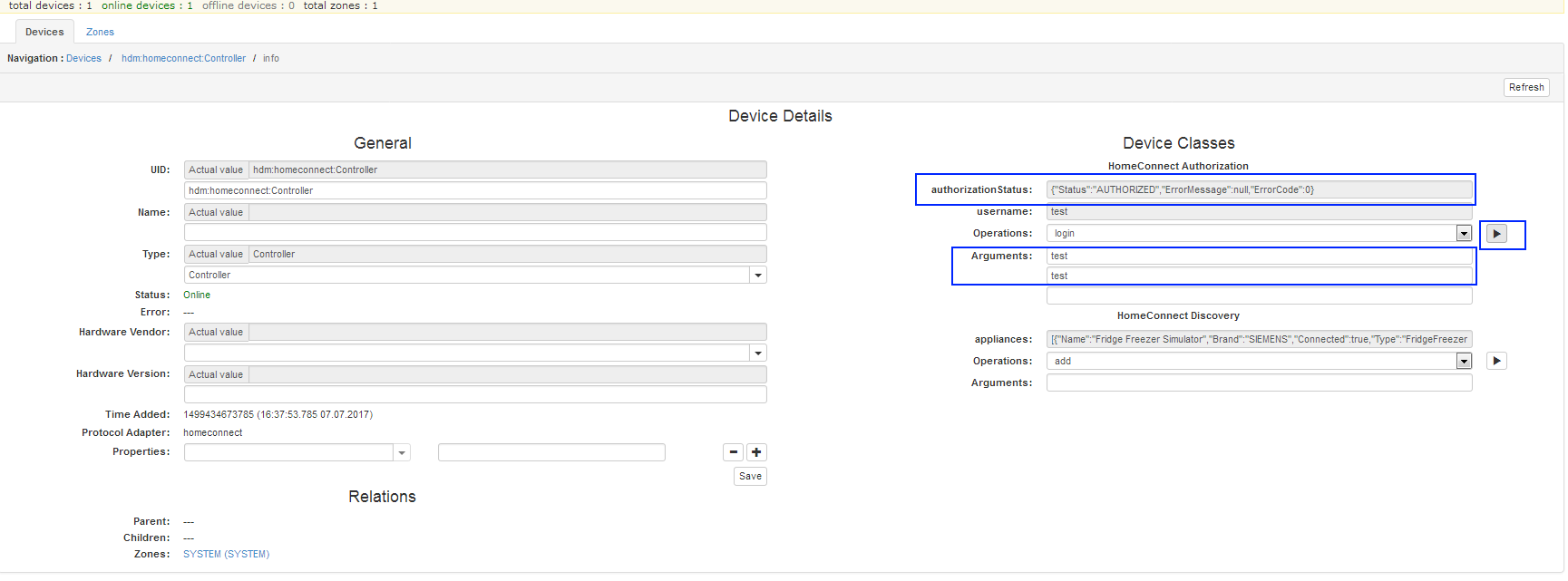
Open the Home Connect controller Device. Initially its Authorization status should be status=NOT_INITIALIZED
Enter the Home Connect credentials username and password (if test backend is chosen enter any username / password - could be non-valid user credentials) and trigger the "login" operation. Device should become ONLINE with Authorization status stats=AUTHORIZED.
Go back to "http://<server>/system/console/hdm" - Home Connect module should already have pulled all available Home Connect appliances against the current configuration (backend server , home connect user) and created HDM Devices for each Home Connect Appliance.
(If test server is chosen, all simulated Home Connect Appliances are pulled from test server and HDM Devices Are created)
If connected to the test backend with simulated Home Connect appliances- HDM Devices can be tested with the help of the Home Connect Simulator.