


|
|
|
|
|
The SHIP HDM Adapter module is an implementation of the SHIP HDM adapter that represents SHIP nodes as HomeDevices. It is only available with HDM DCO implementations, and not with Device Access device items. Protocol-specific device class interfaces are being deprecated, to be replaced by device item interfaces for future releases.
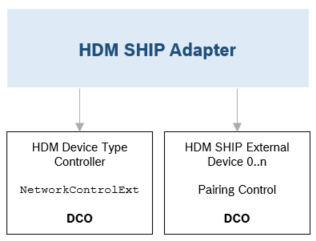
Each known SHIP node is mapped to a HomeDevice instance. mDNS TXT record data of the SHIP node is provided as HomeDevice properties.
A SHIP HomeDevice instance can have one of the following statuses:
Each external SHIP node has a PairingControl device class object that is used to pair/unpair the SHIP node.
The SHIP protocol driver (the local SHIP node, OSGi framework as SHIP node) may also be represented as an HDM HomeDevice instance. This is a configurable option, it is not enabled by default.
set mbs.ship.hdm.adapter.addControllerDevice=true
restart com.prosyst.mbs.ship.da.hdm.adapter
ALternatively, you can restart the bundle from the Web Admin Console HDM. Go to OSGI > Bundles, find the HDM Adapter bundle in the list, and press the "STOP/START" button.
Now the controller should be visible, and its status will be ONLINE:
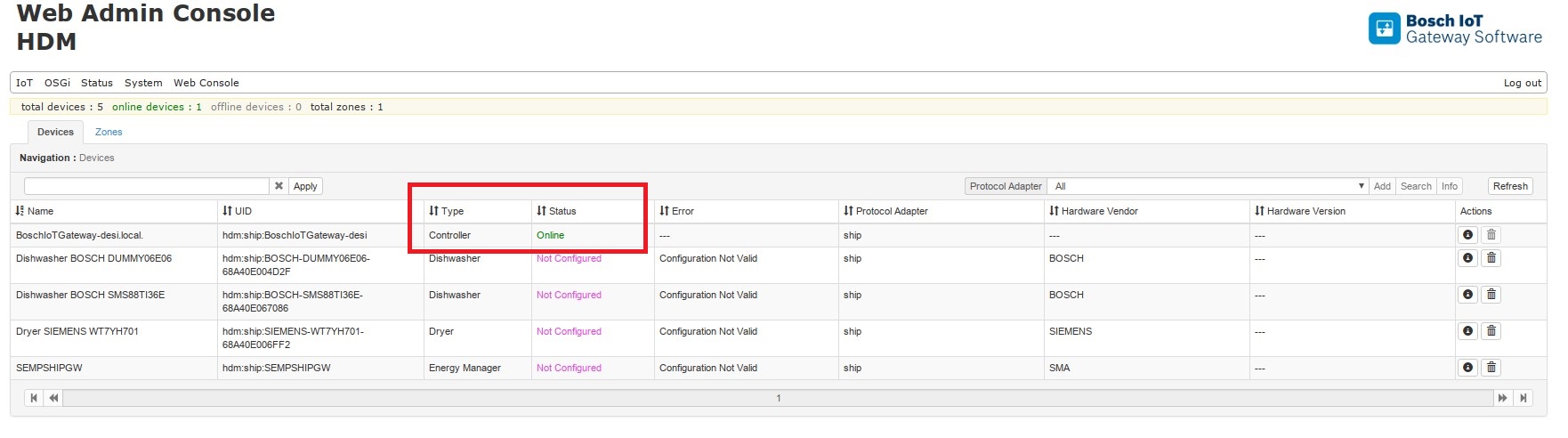
If enabled, the HDM HomeDevice representation of the SHIP protocol driver has a NetworkControllerExt device class object. Setting it to pairing mode means switching the SHIP protocol driver to auto-accept mode. Execution of the reset operation of the NetworkControllerExt is equivalent to resetting the SHIP protocol driver.