


|
|
|
|
|
The Web Console is a developer tool and must not be used in production.
A list of all installed bundles is shown when you navigate to the Bundles page of Web Console through the corresponding navigation tab. It displays all bundles available in the framework, ordered by their bundle ID. The Bundles page allows you to manage the lifecycle of the installed bundles, remove unnecessary applications, install new ones, update the available and refresh exported packages.
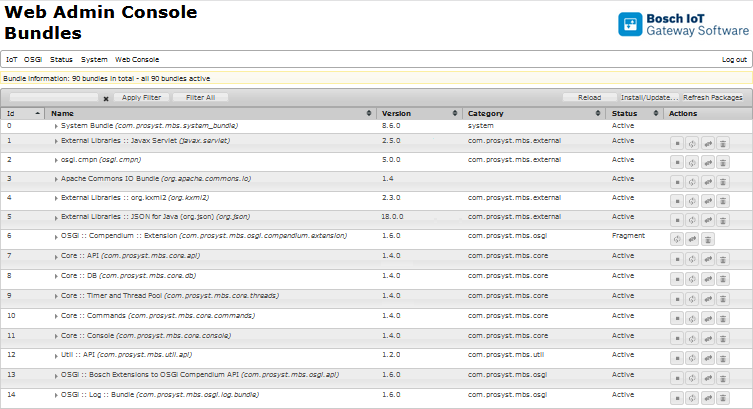
Installed bundles are listed in a table that has the following columns:
Depending on your preferences, bundles can be sorted in descending or ascending order by bundle ID, name, category or status by using the  button in the corresponding column.