


|
|
|
|
|
The Web Console is a developer tool and must not be used in production.
You can see the framework configuration status by selecting Status > Configurations navigation tab. You can see the currently set system properties of the framework, running threads, installed bundles, provided bundle configuration data, registered services and preferences, and also registered service components.
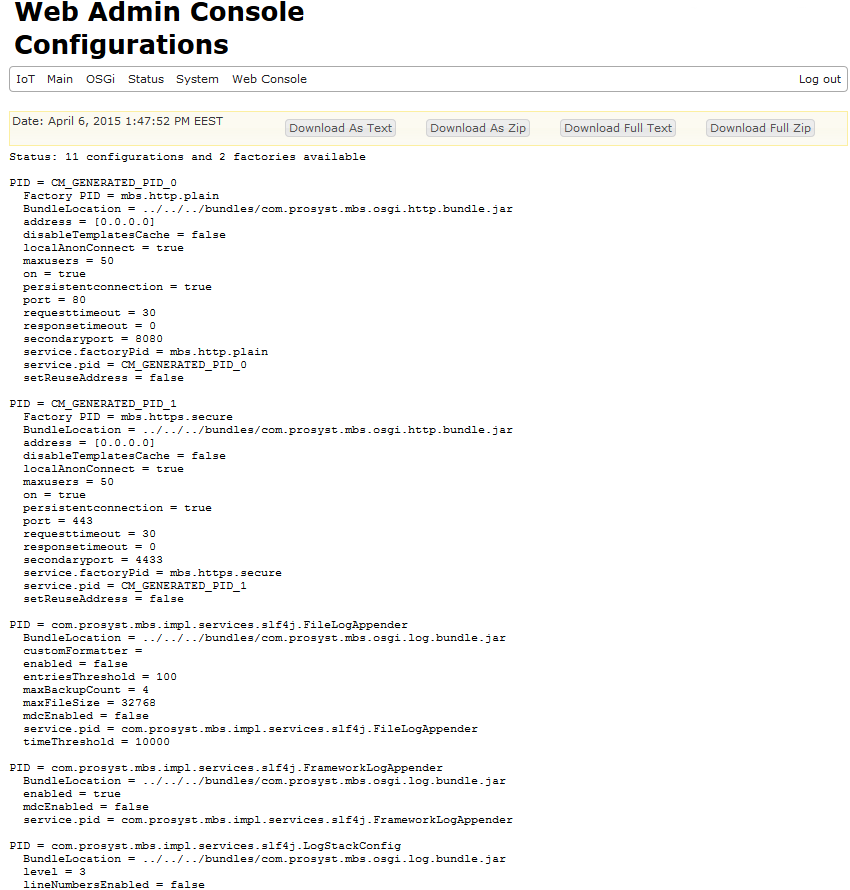
All available information about the current framework configuration status can be saved as a ZIP file by clicking on the Download Zip option from the information bar or downloaded as a .txt file by selecting the Download Text option and then saved through the browser options. For more detailed information you can Download Full Text or Download Full Zip
Running threads can be seen in the Threads tab. The running threads are sorted into thread groups according to the groups created by the framework's VM and the running bundles. This sorting is for convenience. Each thread is also characterized with its priority.
All system properties currently set are listed in the System Properties. Bundles installed in the framework are listed in the Bundlelist tab. Registered services and bundle preferences are listed in the Services and Preferences tabs. Configuration information is displayed in the Configurations tab.