


|
|
|
|
|
To be able to communicate with a Z-Wave Controller device, the Z-Wave module needs to be configured, i.e. the Z-Wave Controller service must have its connection settings configured through the OSGi Configuration Admin service.
For this purpose the Z-Wave Driver bundle registers a Managed Service Factory with FPID com.prosyst.mbs.services.zwave and name Z-Wave Driver Configuration. For each Z-Wave Controller connected to the system (on which the Z-Wave Module is installed) one configuration from the Z-Wave Driver Configuration Managed Service Factory is created.
If the installation and configuration of the Z-Wave Module are successful, the zw command group becomes available and you are able for example to list added devices with the zw.ls command. If the zw console commands are not available, refer to the log to check for errors.
For instructions on how to add Z-Wave devices to an existing network trough the Web Console abstraction layer, consult Management via Web Console guide.
Automatically (with Peripheral Module support)
If you are using the Peripheral Module, after connecting a Z-Wave controller, the Z-Wave driver is automatically configured. For instructions on how to setup the Peripheral Module check this guide.
Manually
To manually configure the Z-Wave module, follow the steps below:
Configuration Properties
The Z-Wave Module provides the following configuration properties for general module settings.
Bundle com.prosyst.mbs.zwave.driver registers the Z-Wave Driver Configuration with Persistent Identity (PID): com.prosyst.mbs.services.zwave Its properties are listed in the table below.
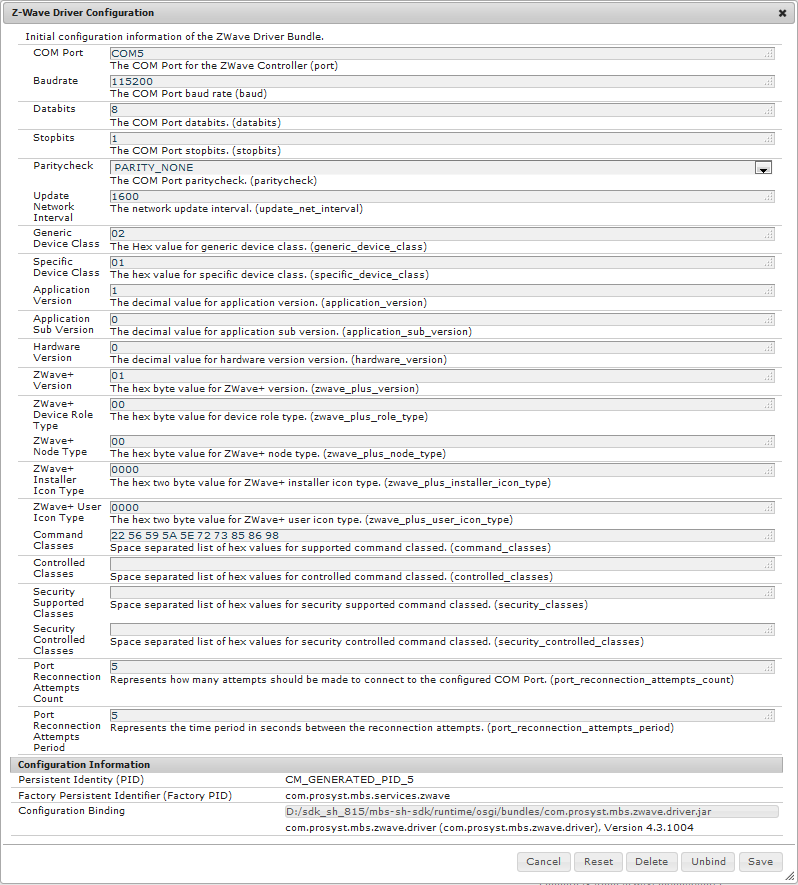
Name |
Property |
Type |
Default Value |
Description |
|---|---|---|---|---|
COM Port |
port |
String |
- |
The COM Port for the ZWave Controller |
Baudrate |
baud |
Integer |
115200 |
The COM Port baud rate |
Databits |
databits |
Integer |
8 |
The COM Port databits. |
Stopbits |
stopbits |
Integer |
1 |
The COM Port stopbits. |
Paritycheck |
paritycheck |
String |
PARITY_NONE |
The COM Port paritycheck. |
Update Network Interval |
update_net_interval |
Integer |
1600 |
The network update interval. |
Generic Device Class |
generic_device_class |
Integer |
02 |
The Hex value for generic device class. |
Specific Device Class |
specific_device_class |
Integer |
01 |
The hex value for specific device class. |
Application Version |
application_version |
Integer |
1 |
The decimal value for application version. |
Application Sub Version |
application_sub_version |
Integer |
0 |
The decimal value for application sub version. |
Hardware Version |
hardware_version |
Integer |
0 |
The decimal value for hardware version version. |
ZWave+ Version |
zwave_plus_version |
Integer |
01 |
The hex byte value for ZWave+ version. |
ZWave+ Device Role Type |
zwave_plus_role_type |
Integer |
00 |
The hex byte value for device role type. |
ZWave+ Node Type |
zwave_plus_node_type |
Integer |
00 |
The hex byte value for ZWave+ node type. |
ZWave+ Installer Icon Type |
zwave_plus_installer_icon_type |
Integer |
0000 |
The hex two byte value for ZWave+ installer icon type. |
ZWave+ User Icon Type |
zwave_plus_user_icon_type |
Integer |
0000 |
The hex two byte value for ZWave+ user icon type. |
Command Classes |
command_classes |
String |
22 56 59 5A 5E 72 73 85 86 98 |
Space separated list of hex values for supported command classed. |
Controlled Classes |
controlled_classes |
Integer |
- |
Space separated list of hex values for controlled command classed. |
Security Supported Classes |
security_classes |
Integer |
- |
Space separated list of hex values for security supported command classed. |
Security Controlled Classes |
security_controlled_classes |
Integer |
- |
Space separated list of hex values for security controlled command classed. |
Port Reconnection Attempts Count |
port_reconnection_attempts_count |
Integer |
5 |
Represents how many attempts should be made to connect to the configured COM Port. |
Port Reconnection Attempts Period |
port_reconnection_attempts_period |
Integer |
5 |
Represents the time period in seconds between the reconnection attempts. |
Bundle com.prosyst.mbs.zwave.hdm.adapter registers the Z-Wave HDM Adapter Configuration with Persistent Identity (PID): com.prosyst.mbs.services.zwave.hdm.adapter.config The following properties are available:
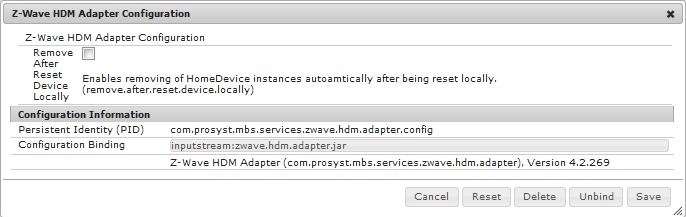
Name |
Property |
Type |
Default Value |
Description |
|---|---|---|---|---|
Remove After Reset Device Locally |
remove.after.reset.device.locally |
Boolean |
false |
Enables removing of HomeDevice instances automatically after being reset locally. |
Bundle com.prosyst.mbs.zwave.hdm.adapter registers the Z-Wave Polling Configuration with Persistent Identity (PID): com.prosyst.mbs.services.zwave.polling The following properties are available:
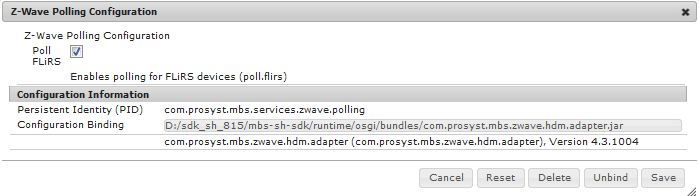
Name |
Property |
Type |
Default Value |
Description |
|---|---|---|---|---|
Poll FLiRS |
poll.flirs |
Boolean |
true |
Enables polling for FLiRS devices. |
Bundle com.prosyst.mbs.zwave.device.configuration.provider registers the ZWave Default Configuration Properties with Persistent Identity (PID): com.prosyst.mbs.services.zwave.config.provider.defaults The following properties are available:
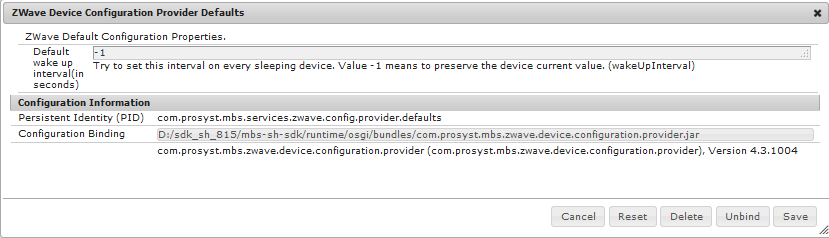
Name |
Property |
Type |
Default Value |
Description |
|---|---|---|---|---|
Default wake up interval (in seconds) |
wakeUpInterval |
Integer |
-1 |
Try to set this interval on every sleeping device. Value -1 means to preserve the device current value. |
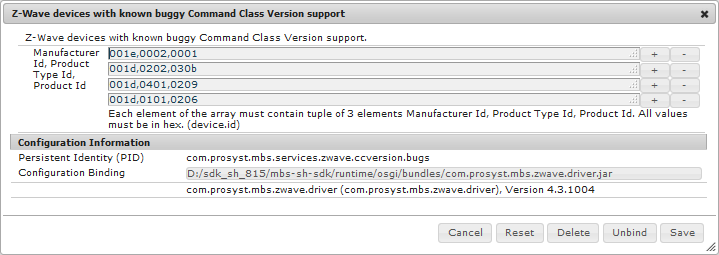
Bundle com.prosyst.mbs.zwave.driver registers the Z-Wave devices with known buggy Command Class Version support with Persistent Identity (PID): com.prosyst.mbs.services.zwave.ccversion.bugs The following properties are available:
Name |
Property |
Type |
Default Value |
Description |
|---|---|---|---|---|
Manifacturer ID, Product Type ID, Product ID |
device.id |
String Array |
- |
Specifies identifiers for devices with known issues in their Version Command Class implementation. For each device provide: the Manufacturer Id, Type Id and Product Id. All values must be in hex. |
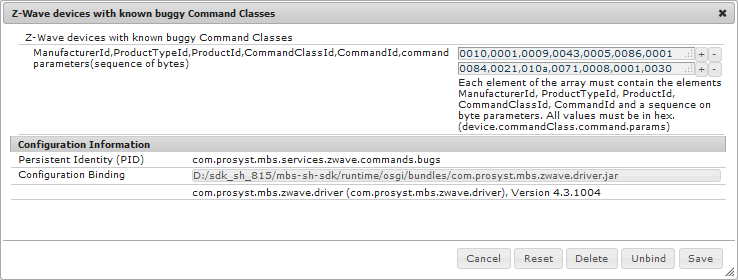
Bundle com.prosyst.mbs.zwave.driver registers the Z-Wave devices with known buggy Command Classes with Persistent Identity (PID): com.prosyst.mbs.services.zwave.commands.bugs The following properties are available:
Name |
Property |
Type |
Default Value |
Description |
|---|---|---|---|---|
Manufacturer Id, Product Type Id, Product Id, Command Class Id, Command Id and a sequence of byte parameters |
device.commandClass.command.params |
String Array |
- |
Specifies identifiers for devices with known issues in their Command Class implementation. For each device provide: Manufacturer Id, Product Type Id, Product Id, Command Class Id, Command Id and a sequence of byte parameters. All values must be in hex. |