|
|
|
|
|
The default IP on which the Z/IP Gateway is reachable on, is fd00:aaaa::3. If any configuration changes are to be applied, they should be made according the "ZipLanIp6" property in zipgateway.cfg. (See Configuring the Z/IP Gateway)
The following is the OSGi configuration of the Z/IP Gateway driver as accessible via the Web Admin Console (OSGI > Configuration):

The available properties are as follows:
Name |
Property |
Type |
Default Value |
Description |
|---|---|---|---|---|
Z/IP Gateway Target Address |
zipGatewayAddress |
String |
fd00:aaaa::3 |
IPv6 address of the Z/IP Gateway |
Z/IP Session UDP Port |
zipGatewayPort |
int |
4132 |
Port configuration of the Z/IP Gateway |
Unsolicited Port |
unsolicitedPort |
int |
4123 |
The port where the Z/IP driver will listen for unsolicited events reported from the Z/IP Gateway. |
Automatically
(with Peripheral and mDNS modules support)
If the Z/IP Gateway is not discoverable on the default IPv6 address (fd00:aaaa::3) when the Z/IP driver is started, the Peripheral and mDNS modules can be used to automatically discover the IP service.
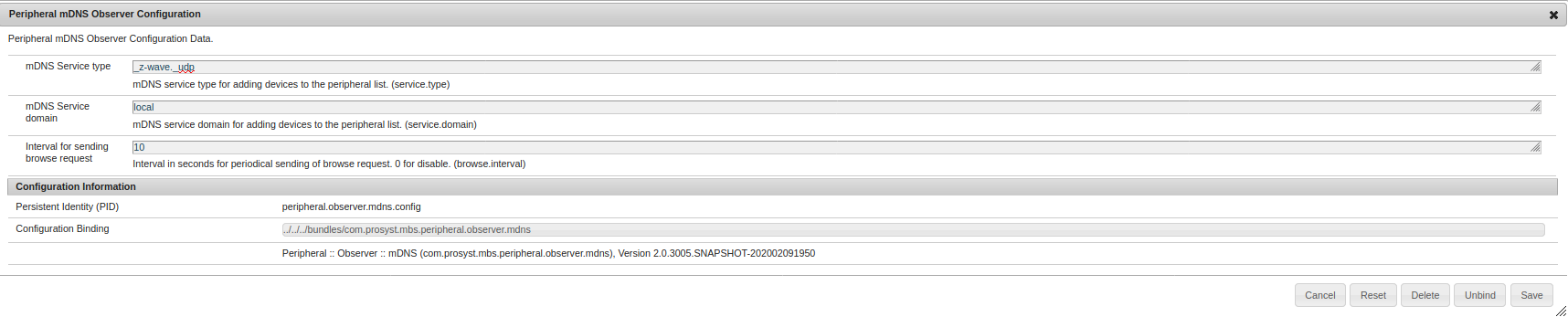
In this case the Peripheral mDNS Observer (com.prosyst.mbs.peripheral.observer.mdns) must be installed and started, as it is not installed by default by the Peripheral Kitman scripts.
The following configuration that must be applied to the Peripheral mDNS Oberver, in order to browse for IP service type "_z-wave._udp" in the local domain. The interval must be enabled - different than 0.