The XML format for storing profiling data is suitable for parsing and filtering by a third party application.
To export the data collected by mBProfiler to an XML file:
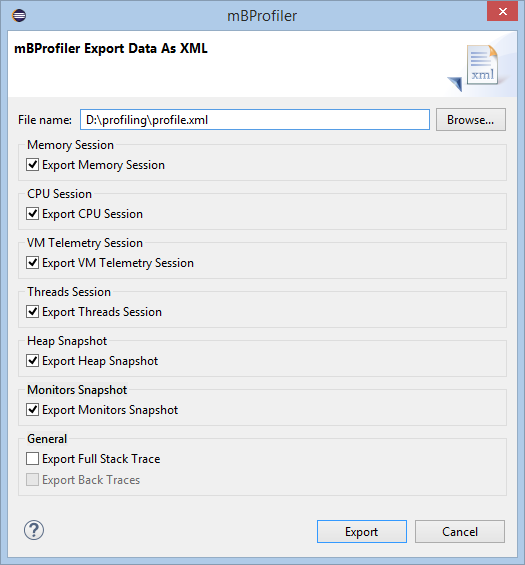
Select Export Data as XML from the mBProfiler menu, or use the File > Export menu and then choose the mBProfiler > Export Data as XML wizard. An Export Data as XML dialog appears.
In the Export Data as XML dialog, use the filename filed to indicate the name and location of the XML file in the local file system. Use the rest of the options to specify what kind of data to export. Respectively, if profiling data of some type has not been collected (CPU, heap, etc), the corresponding option will not be enabled.
The Export Full Stack Trace and Export Back Traces options in the General pane are specifically available for exporting the profiling data as XML. They concern the depth and direction of the stack traces that will be recorded in the XML file.