The text format of profiling data allows you to examine it in a text editor. The fields (shown as columns in the frontend) in a table entry (e.g. a method call) will be separated with a specific symbol.
To export the data collected by mBProfiler to a text file:
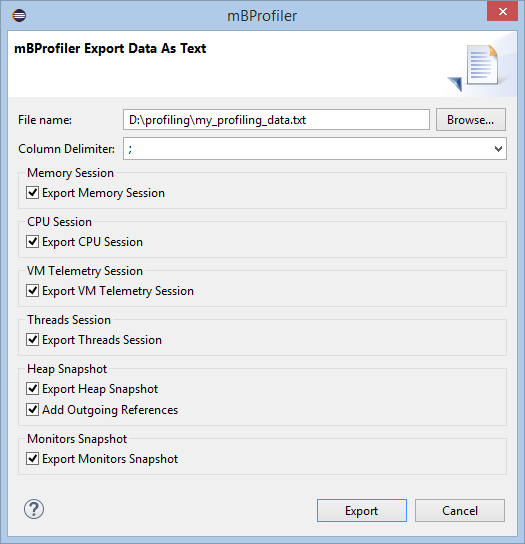
Select Export Data as Text from the mBProfiler menu, or use the File > Export menu and then choose the mBProfiler > Export Data as Text wizard. An Export Data as Text dialog appears.
In the Export Data as Text dialog, use the filename filed to indicate the name and location of the text file in the local file system. Use the rest of the options to specify what kind of data to export. The Column Delimiter specifies the symbol that will be used to divide the information provided in the table columns. Respectively, if profiling data of some type has not been collected (CPU, heap, etc), the corresponding option will not be enabled.