Have Bundles Signed in the Runtime
Optional. To sign the bundles from the workspace prior to their installation on the emulated OSGi framework:
Only bundles selected in the Bundles tab will be signed.
- In the mToolkit -> Certificates preferences page configure signer keystores and specify the path to jarsigner.exe from a JDK image.
- Open the OSGi Runtime launch configuration holding the runtime to emulate.
- Go to the Signing tab.
- Check the box Sign content before deployment and then select the signer certificates from the ones set in mToolkit's preferences to sign bundles with.
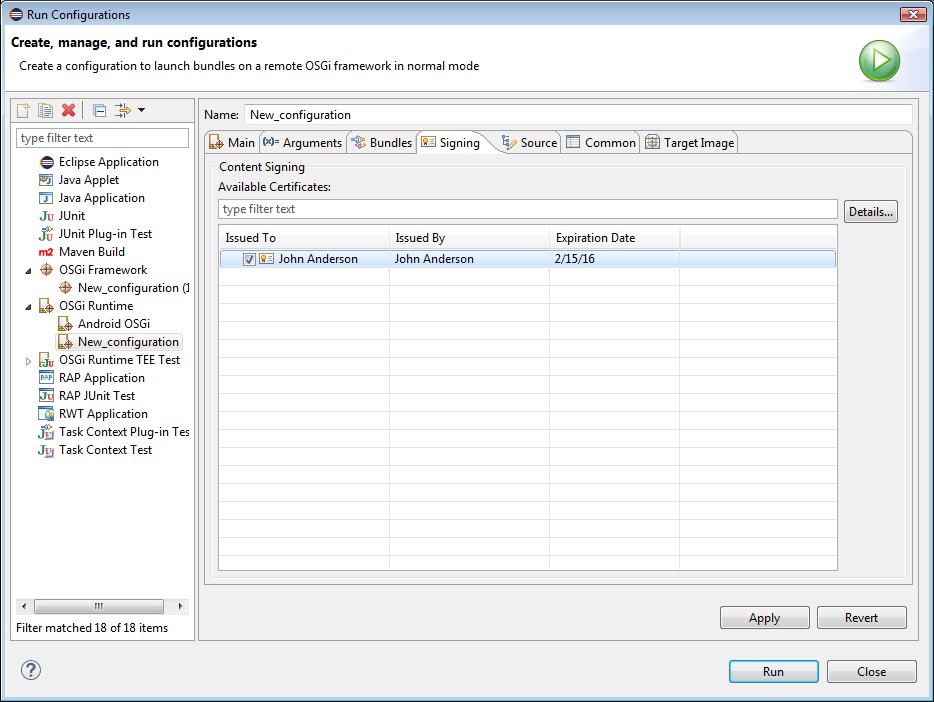
- Select Apply to save the changes.


