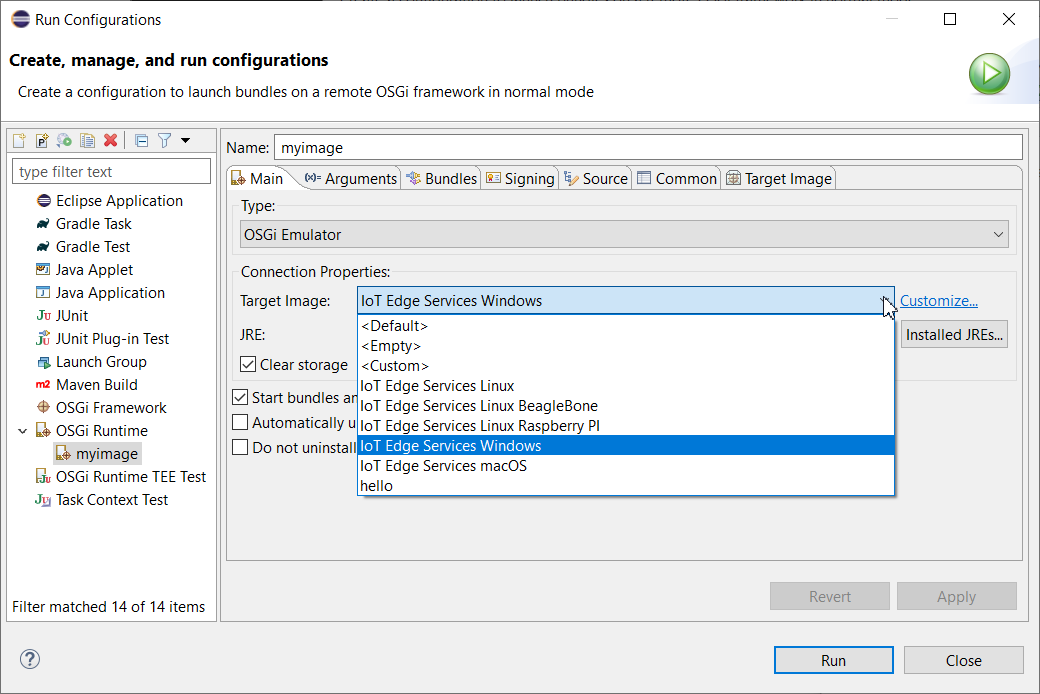
To define an emulated OSGi Runtime image, execute the following steps:
Make sure that the OSGi runtime location field from the mToolkit preferences page (Window > Preferences > mToolkit) contains a valid path to <osgi_sdk>/runtime.
Go to Window > Preferences > Plug-in Development > Target Platform and select the target platform matching the functional profile of the emulated runtime.
In accordance with the emulation mode select from the menu bar:
Run > Run Configurations – For plain mode.
Run > Debug Configurations – For debug mode.
Run > Profile Configurations – For profiling mode.
Create a new launch configuration of type OSGi Runtime - right-click the OSGi Runtime node and select New. The OSGi Runtime launch configuration represents a connection configuration to the OSGi runtime.
As the configuration name will start with New_configuration, rename it if needed in the Name field.
In the Main tab select the OSGi Emulator option from the Type box.