|
|
|
|
|
Overview
The Web Admin Console is a web-based application for administering the various components of the Bosch IoT Gateway Software. For more details on how to install the History Web Admin kitman script for management through web console, refer to the Setup guide.
To access the Web Admin Console after it has been successfully installed, open your web browser and type the following URL for a plain connection: http://<host>:<port>/system/console , where<host> is the host where your Runtime is running and <port> is the port of the Runtime's HTTP bundle (default is 80). For more information read the Working with web console document.
The History Web Console plug-in allows you to:
How to Use the History Web Console Plug-in
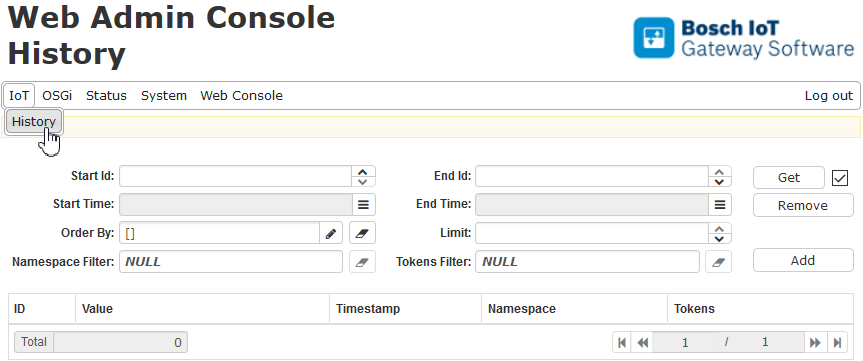
From the IoT tab of the web console choose History to access the Get, Remove and Add buttons. You are also able to list, count and edit the available history entries.
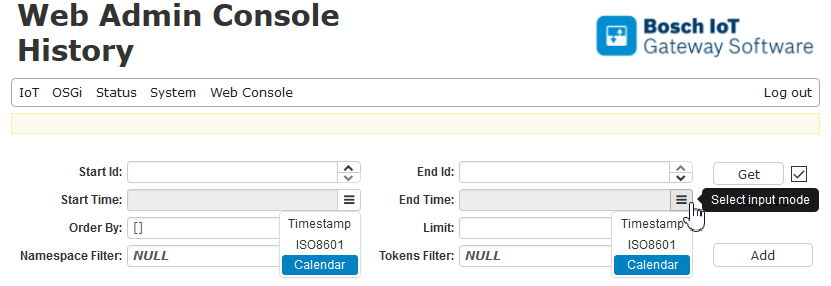
To fill in the dates of the Start Time and the End Time fields, choose the mode from the drop down menu:
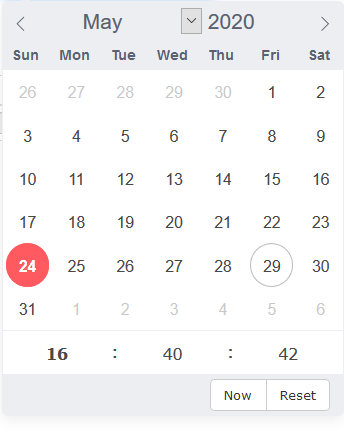
The Calendar mode gives you a comfortable widget to enter the dates of the history entries you are interested in: