


|
|
|
|
|
Supported events mechanisms of ONVIF devices are:
WS-Base Notification
ONVIF module registers a servlet for incoming notifications from the ONVIF devices after a successful subscription. Subscription matching is supported. The network parameters of the ONVIF Notification Server are configurable, such as port and network interface. Additional debug logs could be used to verify the messages from the ONVIF devices. Please refer to the ONVIF System Properties and ONVIF OSGi Configuration Properties for more details and instructions on how to set up those parameters.
Motion Detection
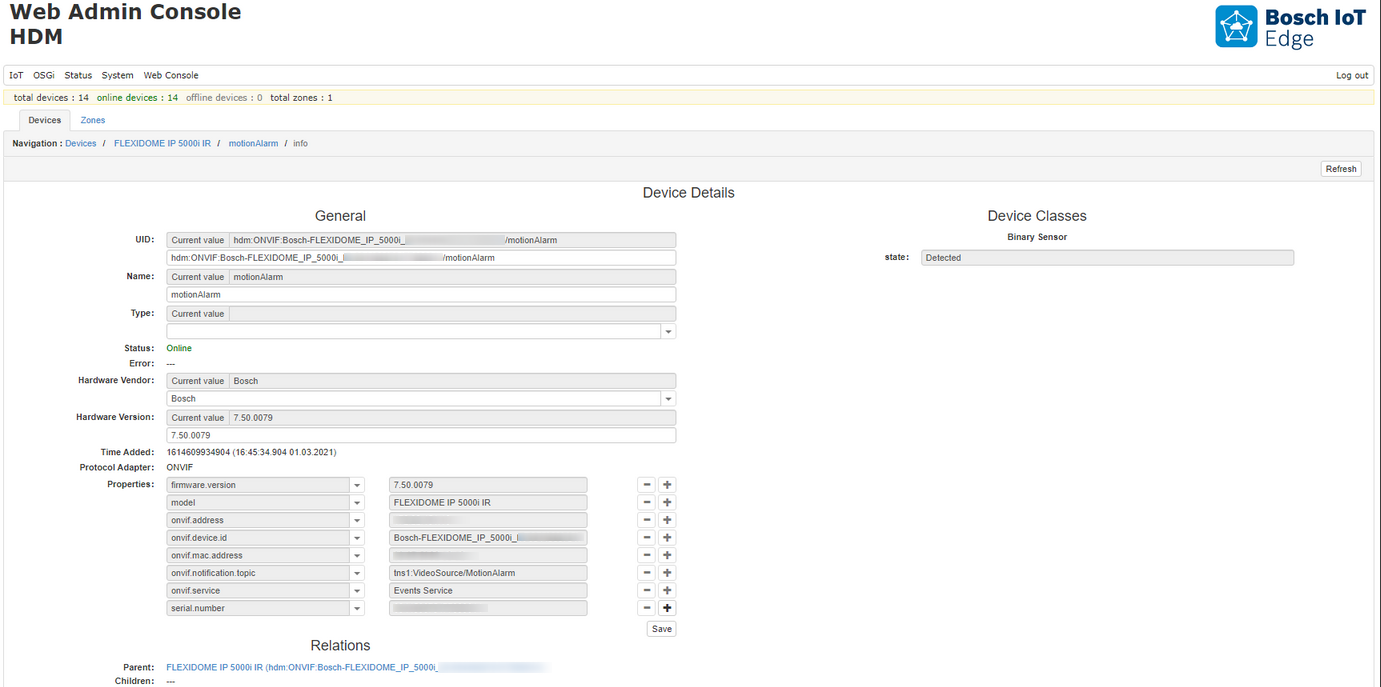
Only Motion events are supported via the WS-Base Notification mechanism. The binary sensor represents the detector for motion.
Pull Point Subscription Interface
The PullPointSubscription interface is using a pulling mechanism. It is automatically activated if there are Factory configurations set. The ONVIF Driver will create a subscription for each configuration match. For example, a device can have multiple subscriptions, each with a different filter and different settings for the pulling mechanism.
Pull Point Subscription Factory Configuration
The Pull Point Subscription Factory configuration is shown below:
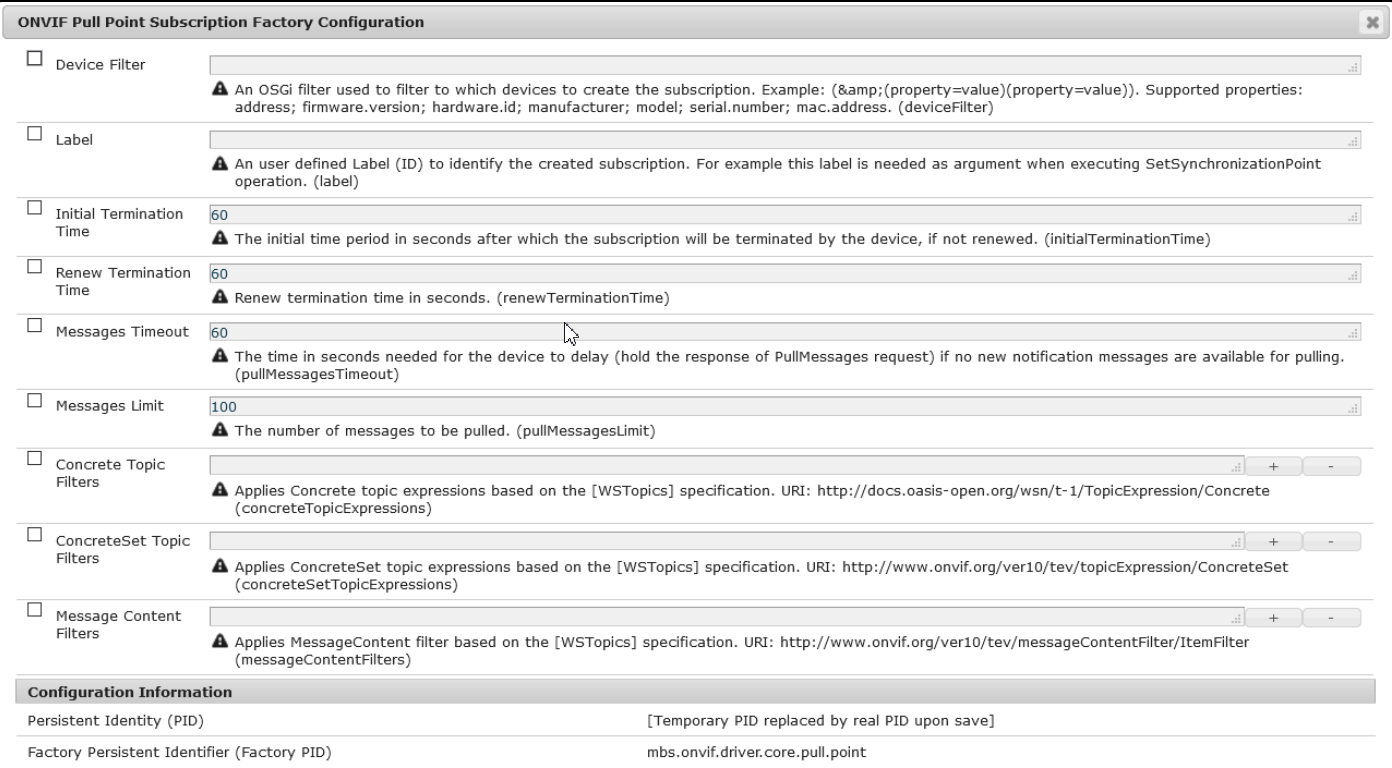
All of the configuration properties are not required, except the Label. If the Label is null, the configuration will be ignored by the PullPointSubscription service and no subscription will be created.
Label property is not unique. For example, if two or more configurations have the same label, an operation like SetSynchronizationPoint can be executed to all of the subscriptions with this label.
Messages Limit property affects the behavior of the Pulling mechanism. If a very small value is used, depending on the supported property events may reduce the performance, due to increasing the number of requests sending to the Device to read all of the messages.
For the supported Topics needed for the filters, the Events Service Functional Item operation – GetEventProperties could be use.
The Factory configuration is not dynamic. If the configuration is changed during runtime, this will not affect the subscriptions. The configurations are read when the device changes the offline-online state, on initial registration or when the bundle starts.
Events Device Access Configuration
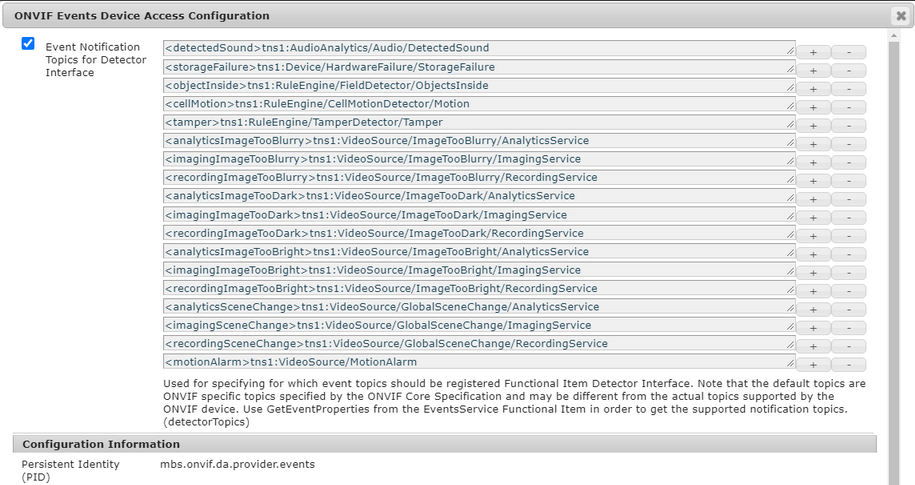
The ONVIF Events Device Access configuration below is for specifying the events topics for which Functional Item Detector Interface is to be registered:
Alias Prefix
The alias is introduced in order to specify a unique UID to the registered Device class. This alias is user-defined.
Validation
It is mandatory to include a unique prefix (alias) to the Detector Topic declaration. The following condition shall be met:
If the conditions are not met, the detector will not be registered.
Convention for default topics
It is not necessary for the user to follow the default convention. The user can define its own convention. The following convention is used only for the default topic aliases:
Event Service Device Class
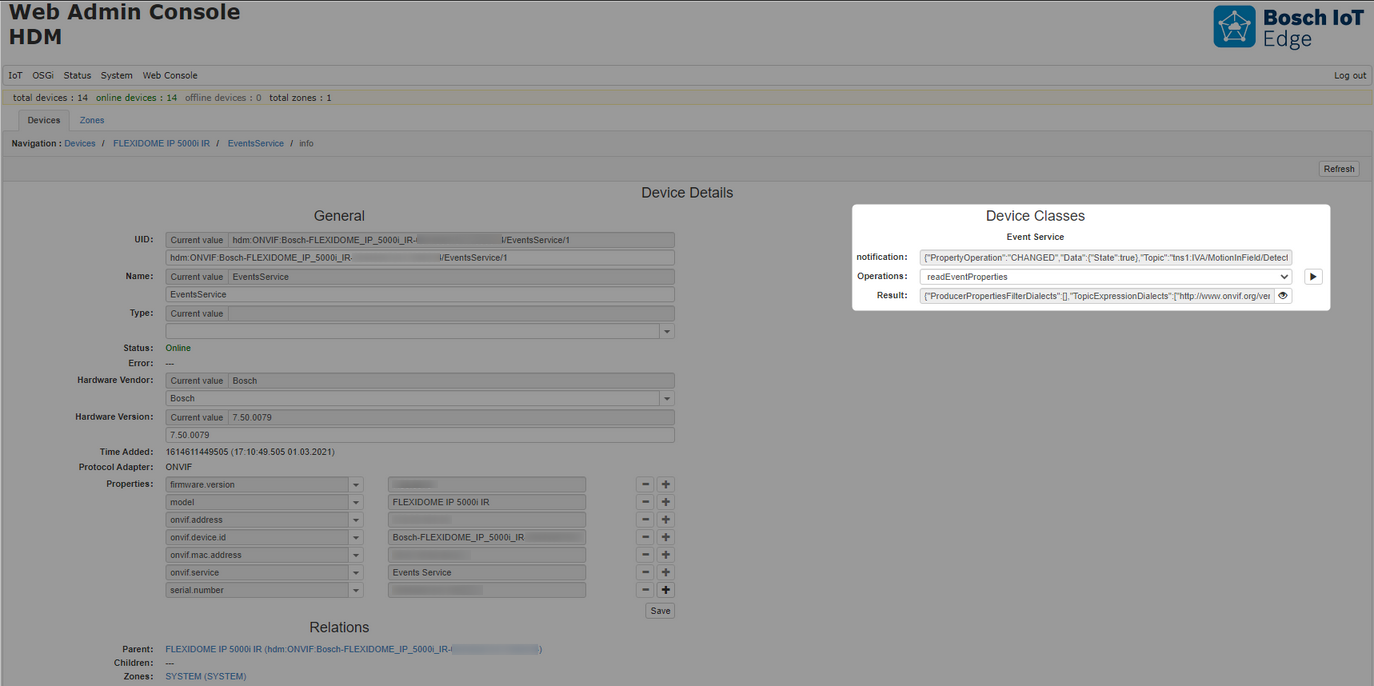
The following device class is used to provide support for the GetEventProperties operation and to post property changed events for all event notifications for which there is no registered Detector Device Class. This command is used, to fetch the supported event parameters from the ONVIF Device:
The functional item has property NOTIFICATION which represents the property Notification. This property is updated only for notifications for which there is no registered Detector.
The Topic Set could be used to:
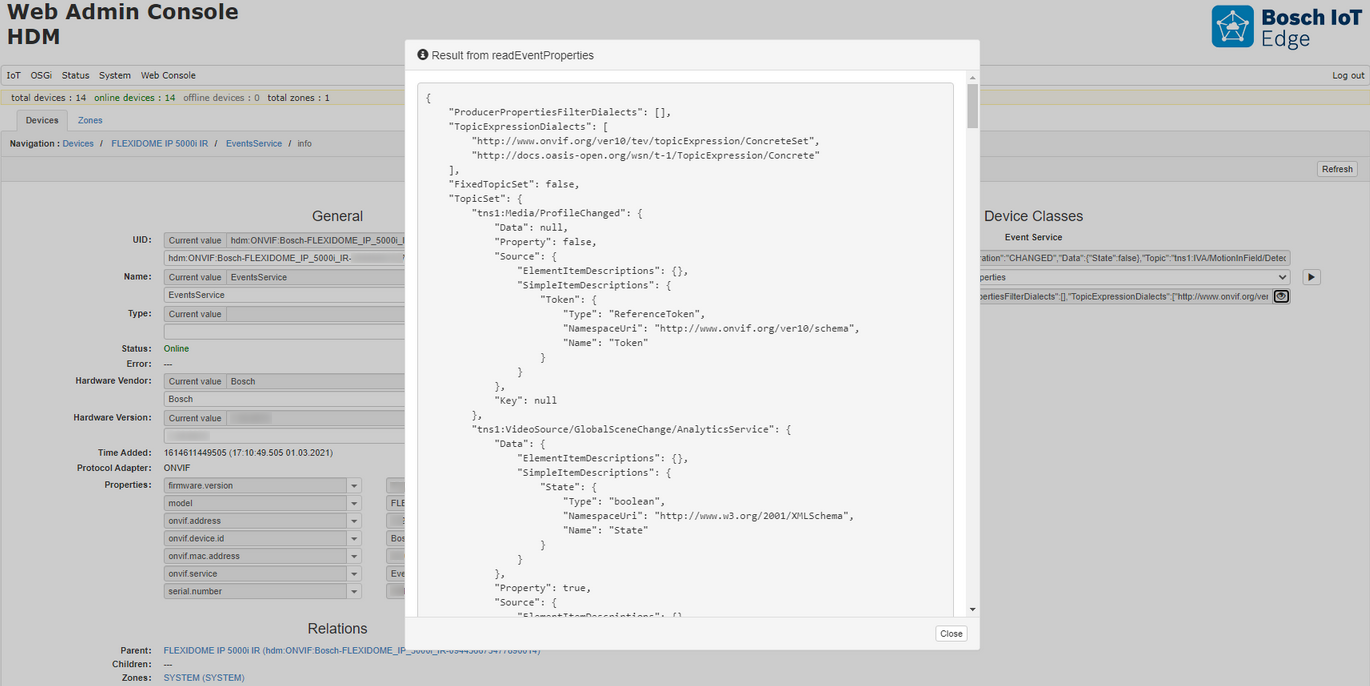
Detector Device Class
The detector device class is registered only for topics, specified within the ONVIF Events Device Access Configuration, and only for topics that have only one item inside the Data Element, and this item is of Simple Type.
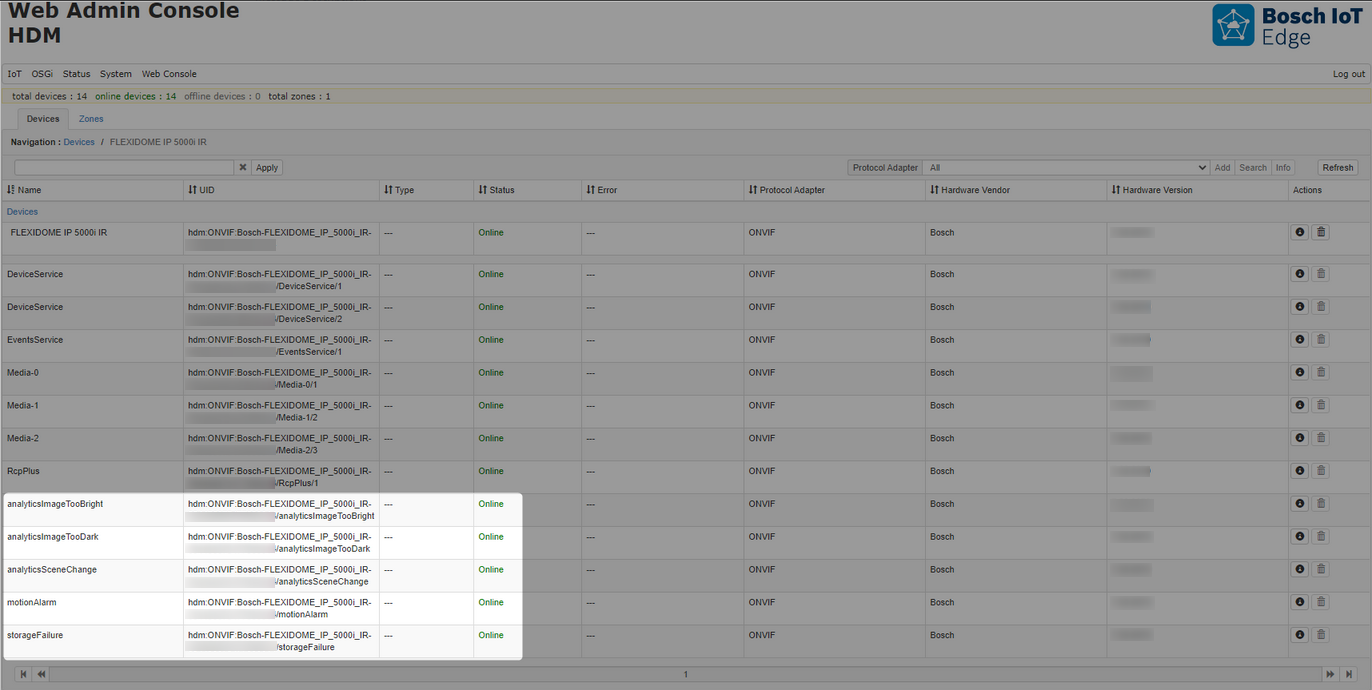
The detector device class has onvif.notification.topic property, representing the Notification topic:
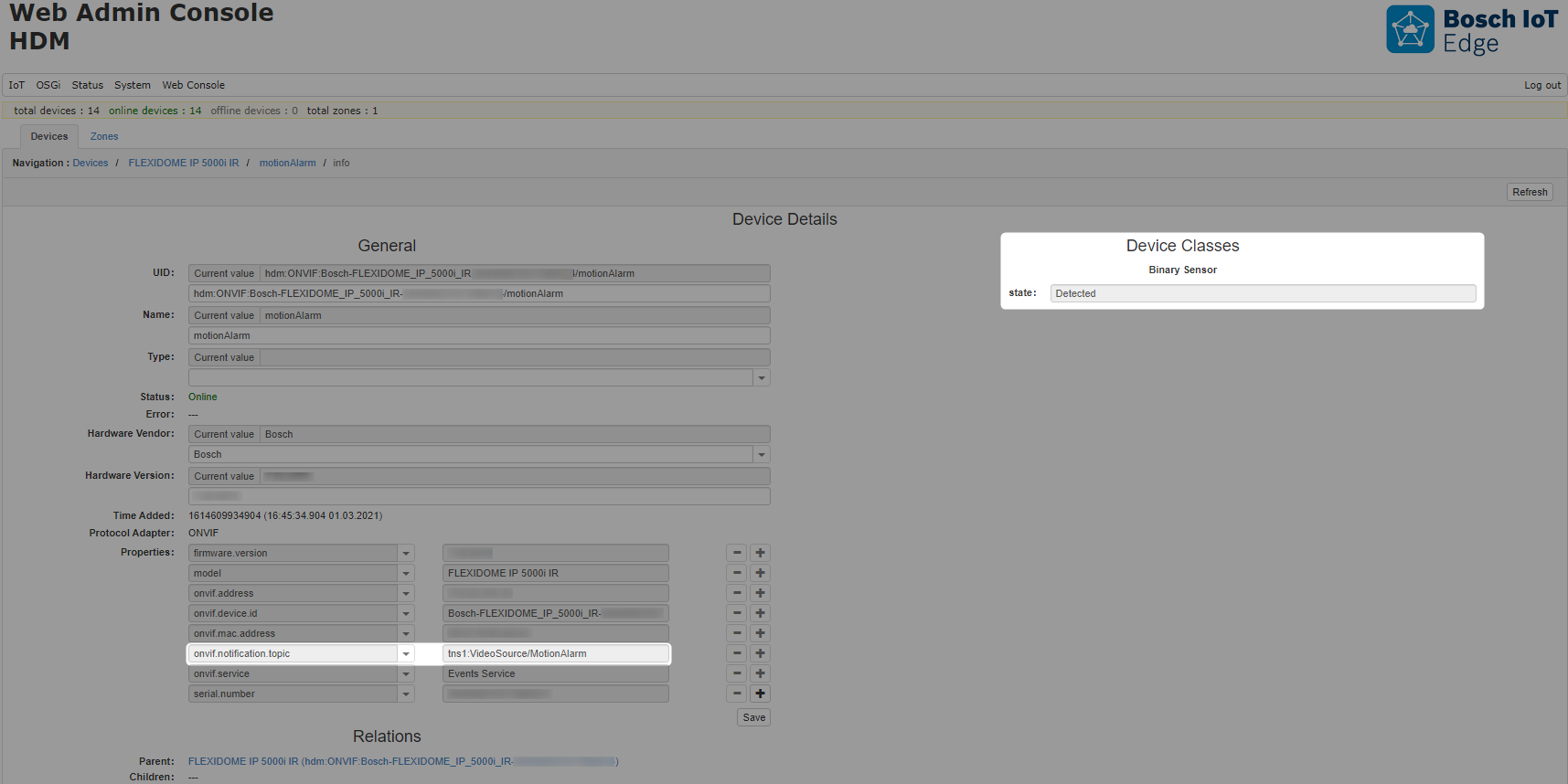
Monitoring Topics
Since the Monitoring topics could not be returned by the GetEventProperties, they can be used statically from the ONVIF Core Specification. All of the Monitoring Topics, which have a Boolean type of event value are eligible for registering a Detector functional item if they are specified within the ONVIF Events DA configuration. Some examples are presented in the table below:
Examples of Monitoring Topics |
|---|
tns1:Monitoring/OperatingTime/DefinedLimitReached |
tns1:Monitoring/OperatingTime/MeanTimeBetweenFailuresDefaultLimitReached |
tns1:Monitoring/OperatingTime/MeanTimeBetweenFailuresOperationLimitReached |
tns1:Monitoring/AreaOfOperation/OutsideCertifiedArea |
tns1:Monitoring/AreaOfOperation/OutsideConfiguredArea |
tns1:Device/OperationMode/ShutdownInitiated |
tns1:Device/OperationMode/UploadInitiated |
tns1:Monitoring/Washer/LiquidLow |
tns1:Device/HardwareFailure/FanFailure |
tns1:Device/HardwareFailure/PowerSupplyFailure |
tns1:Device/HardwareFailure/StorageFailure |
tns1:Device/HardwareFailure/TemperatureCritical |
For more information about the Type and the structure of the Monitoring events, refer to the ONVIF Core Specification.
The configuration is not dynamic. E.g. if the configuration is changed and new topics are added/removed, the device classes will not be unregistered and registered again. The device needs to be removed/invalidated and then registered again in order to receive the new data from the ONVIF Events DA configuration or if the device goes offline and then online, this way the new Detector functional items will be registered.
To learn more about creating/registering configurations refer to Initial Configuration Loader.