


|
|
|
|
|
Cloud usage of Things Agent
Prerequisites:
Things Agent MQTT Connection Configuration
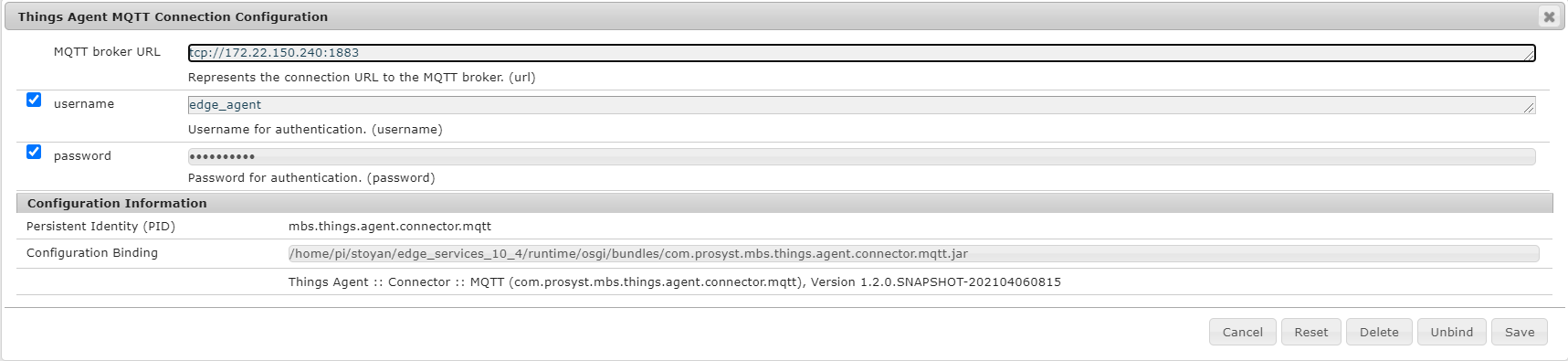
The Things Agent MQTT Connection Configuration represents the connection URL to the MQTT broker. The default value of the property MQTT broker URL is tcp://ctrhost:1883. Change the value of this property to connect the local MQTT broker.
For more information how to setup Cloud agent to use username/password refered to Cloud connectivity guide.
The Things Agent MQTT Connection Configuration has two properties - username and password. This configuration properties are for authentication to the local MQTT broker. These credentials are configurable. When the Things Agent service is started and these properties are provided this means that starts secure connection to the local MQTT broker. When these properties are not provided this means that the connection is started without authentication. When the Things Agent MQTT Connection Configuration is updated if there is connection, Things Agent will interrupt the connection and try to connect with the updated configuration properties.
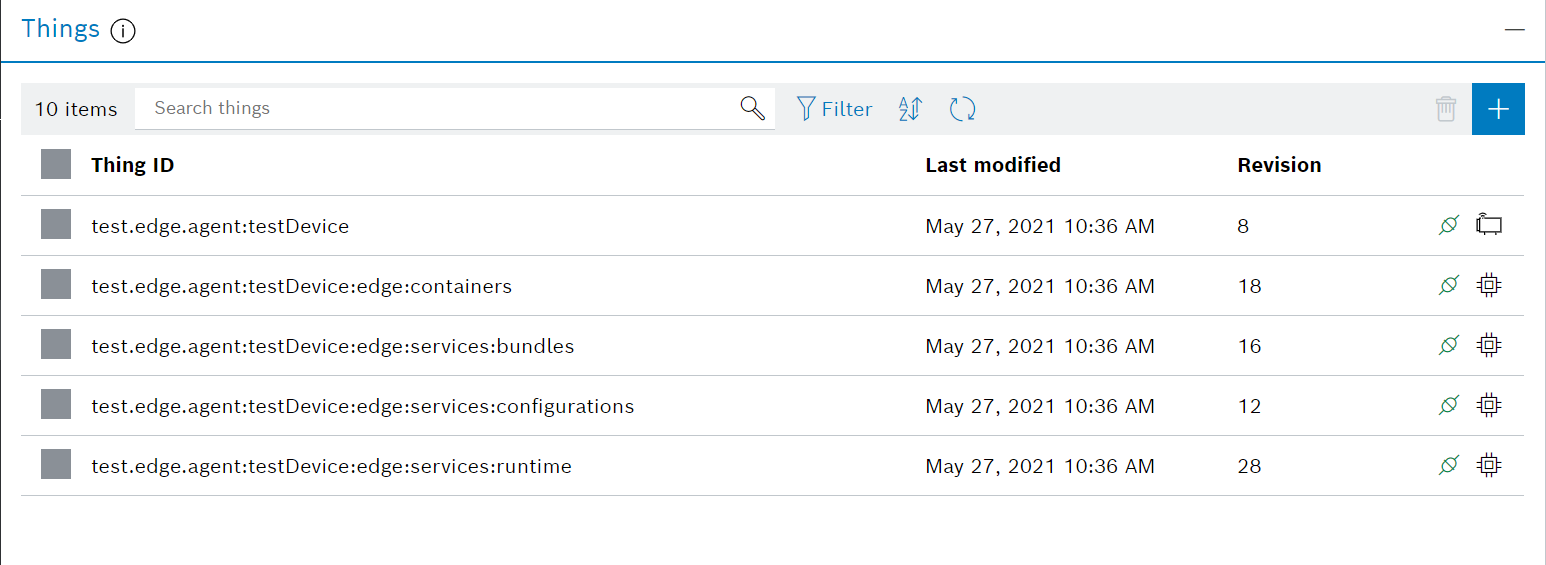
When the connection is successfully established, as a result the following things are created:
Local usage of Things Agent
Prerequisites
1. Add the following system properties in the runtime installation bin/vms/<vm_name> default.prs file:
2. Make sure Bosch IoT Edge Services is running and the necessary bundles are installed
Thing Admin Configuration
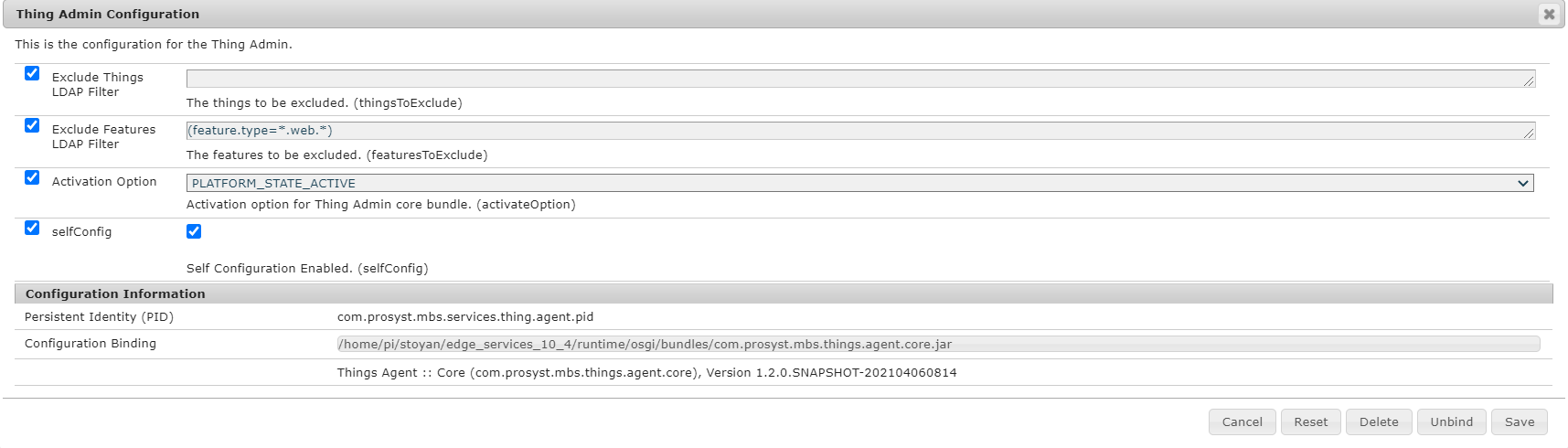
These are the configurations for Thing Admin services:
When the connection is successfully established, as a result the following things are created: