


|
|
|
|
|
In certain cases, you need to add to the image resources that are not bundles or are not related to predefined assisting modules like the native management and tooling agents. To be able to include such resources, use the Additional Resources part of the Image Description file as shown below. For example, you might add a Web application within the root directory of the HTTP server of the platform.
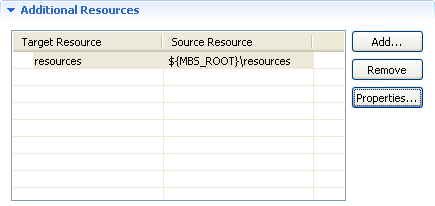
Add Resources
To add a resource, that is, a file or a folder to the image, execute the following steps:
The location of the current instance of the OSGi Runtime, is in the ${MBS_ROOT} variable.
The resource will appear in the Additional Resources section of the Image Description file.
Change the Path in the Image
Once you have specified an additional resources, you can still change its location within the image. Select the resource and click the Properties button.