


|
|
|
|
|
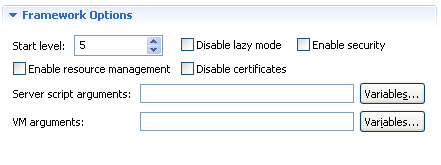
You can tune the operation and behavior of the image framework by turning on/off its most influential features.
The settings for such a configuration are grouped under the Framework Options section of the Image Description file.
Define the Initial Framework Start Level
Use the Start level option to specify the framework start level, that the highest start level that the installed bundles must have to be allowed to be started.
Turn on/off Features
Use the following "enable"/"disable" options to activate/deactivate specific features.
Add Options to the Starting Script
You can additionally configure the framework by passing options to its starting script. For example, for clean startup, that is, without ready storage, pass the clean option to the script. For more information on the supported options refer to Starting the Framework.
Fill the options to the starting script in the Script properties field separating them with spaces.
Pass Options to the JVM
You can configure the image generation so that the JVM receives specific options related to its execution behavior. For example, you might pass some system properties or specify an agent native library.
Fill the properties separating them with spaces in the Java properties field.