You can execute a test case project from the workspace on a connected OSGi Runtime instance.
To execute a test case from Eclipse:
Find your test project from Package Explorer and right click on it.
From the Test on menu select the OSGi framework where you want to execute the test. The framework must be connected to Eclipse and must have the Test Execution Environment installed.
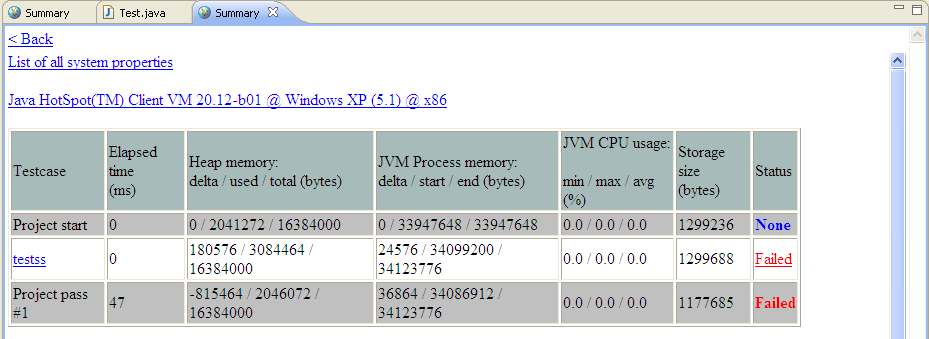
The test case will be executed. A summary of the results will be displayed in the Eclipse web browser: