Adding Bundles from the Online Repository to a Target Platform Definition
Specific bundles from the online software repository of Remote Manager can added to a ready target platform definition (see the "Target Platform" concepts document) and used for development or for resolving bundle dependencies.
Go to Window > Preferences > Plug-in Development > Target Platform.
If you do not have a target platform to host repository bundles, to create one follow the steps:
In the Target Platform preferences page click Add to start creating a new Target Platform definition.
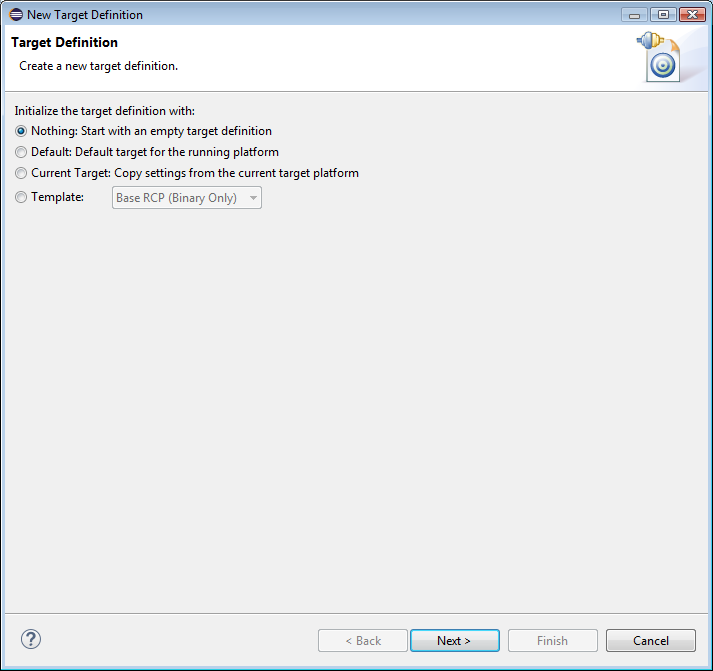
In the New Target Definition dialog, choose an initialization option and click Next:
In needed in the dialog that follows, enter a name of the target platform definition in the Name field.
Select Finish. You will be returned to The Target Platform preferences page.
Select the target platform which will hold the bundles from the repository and click Edit.
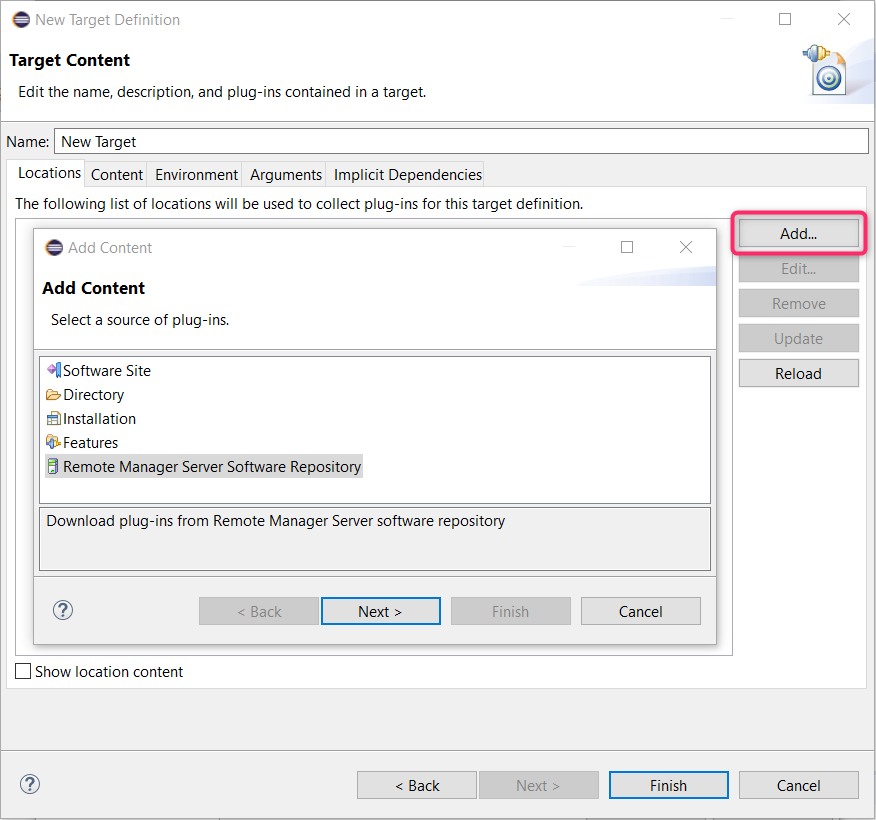
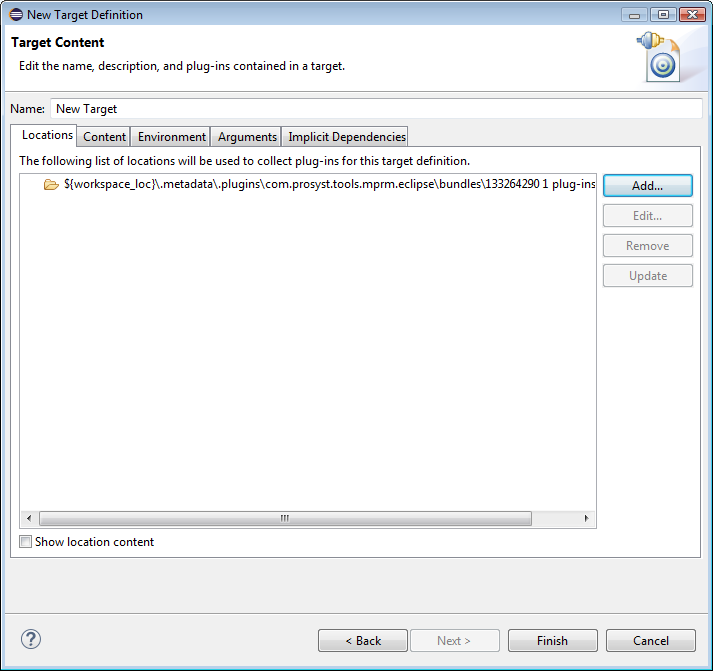
In the Edit Target Definition dialog go to the Locations tab and click Add (Figure 2).
In the Add Content dialog choose the Remote Manager Software Repository option and click Next.
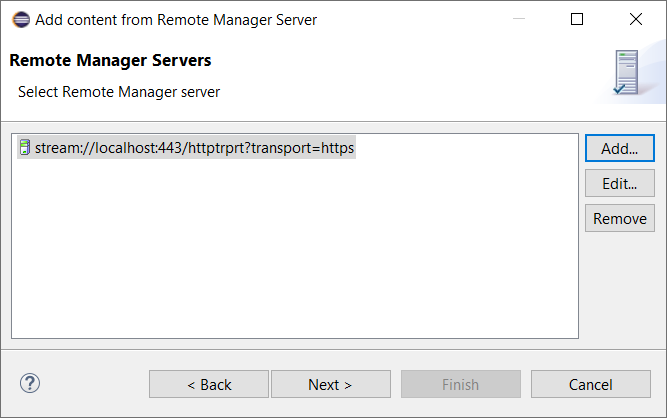
Select the Remote Manager server hosting the Software Repository in the next step. In case the Remote Manager servers list is empty, click Add and fill in the connection properties of a new Remote Manager server as described in the previous chapter. Otherwise, select the target Remote Manager server and click Next:
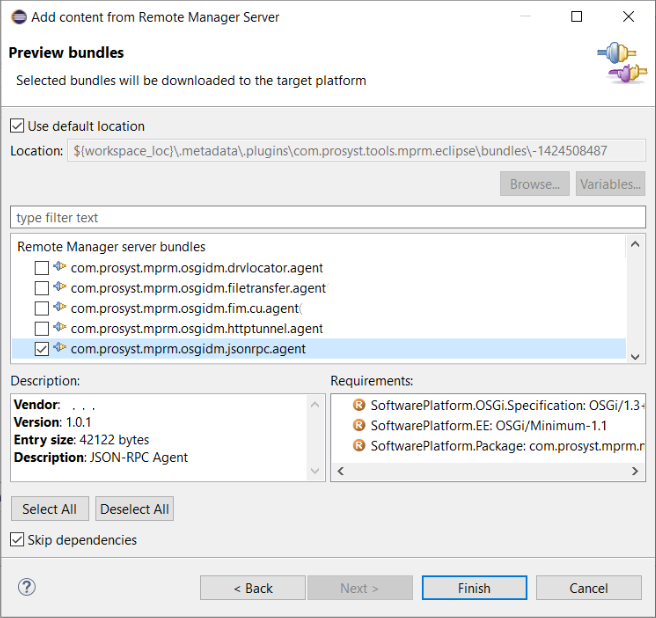
In the dialog that follows, you will be prompted to choose from the bundles available for download in the Software Repository. These bundles are made accessible through the sharing options feature of the Remote Manager Software Repository.
To resolve the dependencies of the selected bundles, deselect the Skip dependencies box. In this case the resolver in Remote Manager Software Repository will be used to resolve dependencies and you will be allowed to download the bundles required by the selected ones.
Click Finish when ready with choosing the bundles to download. The just-added location of the Software Repository will appear in the Edit Target Definition dialog.
Click Finish to apply the changes to the target platform definition.