Previous Topic

Next Topic

Book Contents

Book Index

Uploading a PAR Project to the Backend Software Repository

You can upload the PAR file behind a PAR Project to the backend Software Repository directly from Eclipse. To add the PAR file to the backend:
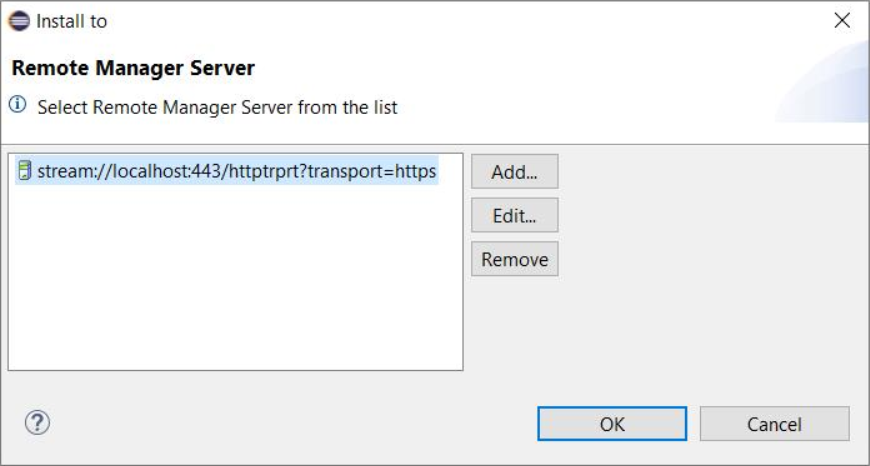
  1. Right-click on the PAR Project holding the PAR file you would like to upload or on its provisioning.xml, and choose Install to > Select Remote Manager Server. The Install to dialog appears listing the Remote Manager servers onto whose repositories you can upload applications.
  2. If the backend server host is not present in the list, add it as described in the "Uploading Content from to the Backend Online Repository" guide.
  3. Select the server from the list.

  4. Click OK to send the PAR file to the Software Repository.

Once the Remote Manager backend server is present in the list, you can easily upload an application from the workspace to it  - right-click the PAR Project node or its provisioning.xml, and select the Install to > <RM_server> option.

In the Software Repository of the Remote Manager server, the PAR file will be represented as a bundle group built of the bundles added to the PAR Project in Eclipse and as a service application based on the bundle group.