


|
|
|
|
|
Overview
The Device Access Module use Functional Item Web Console to manage the Device and its Device Items. In order to be able to use Functional Item Web Console, you need to install Web Console and Functional Item Web Admin. Also you need to install and Device Access. For convenience there is created Kit Manager command:
kitman.i "Device Access Web Admin"
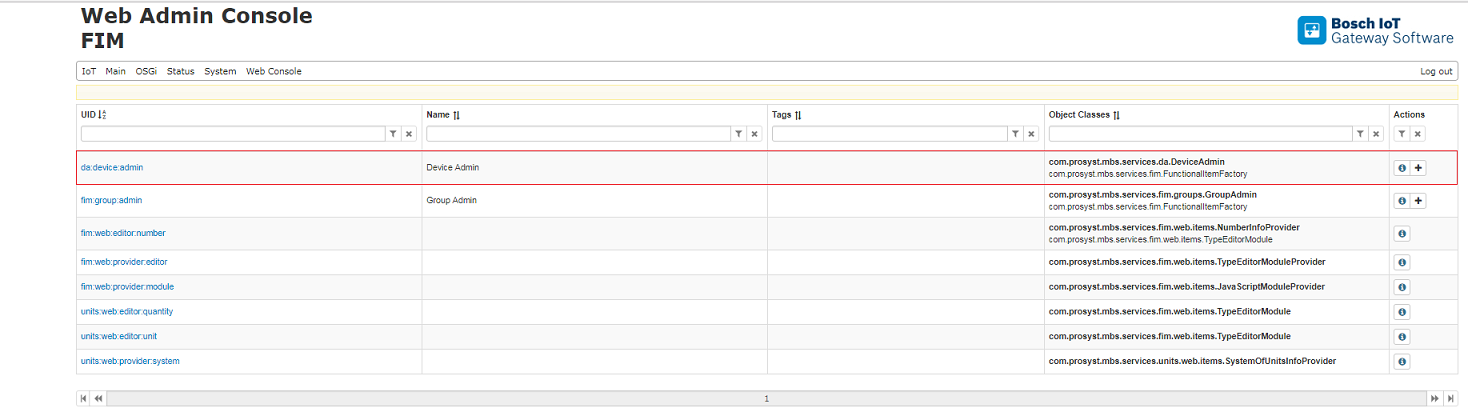
Device and Device Items via Functional Item Web Console
The following examples will use Device Access Protocol Adapter Demo for managing the Devices and its Device Items. For this reason you should install Device Access Protocol Adapter Demo. As an addition this demo creates initially three Devices.
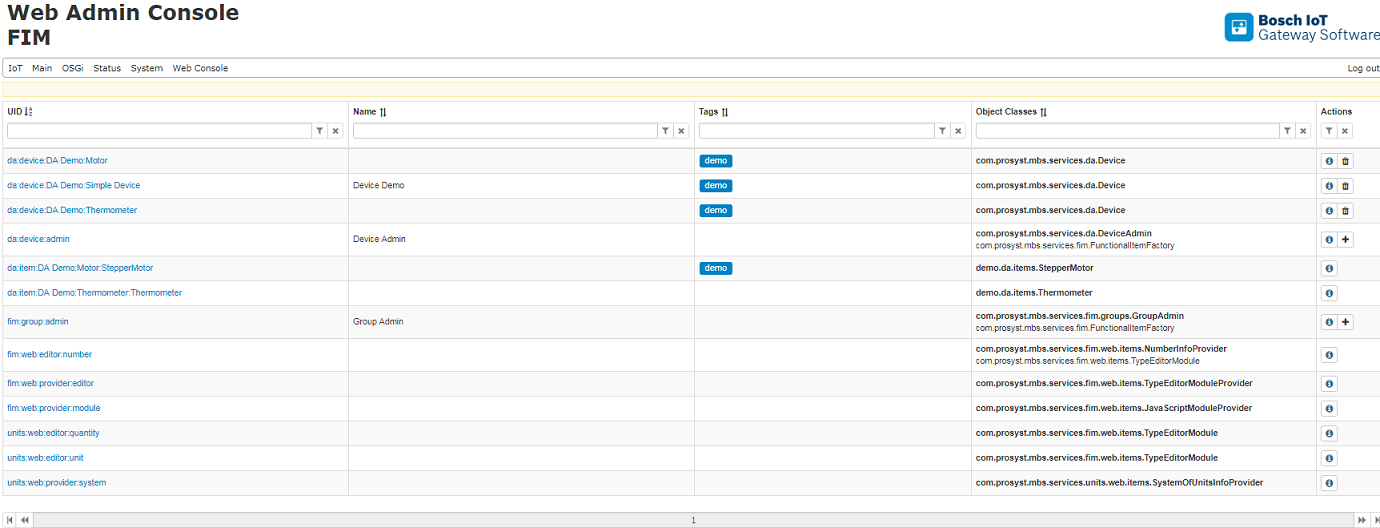
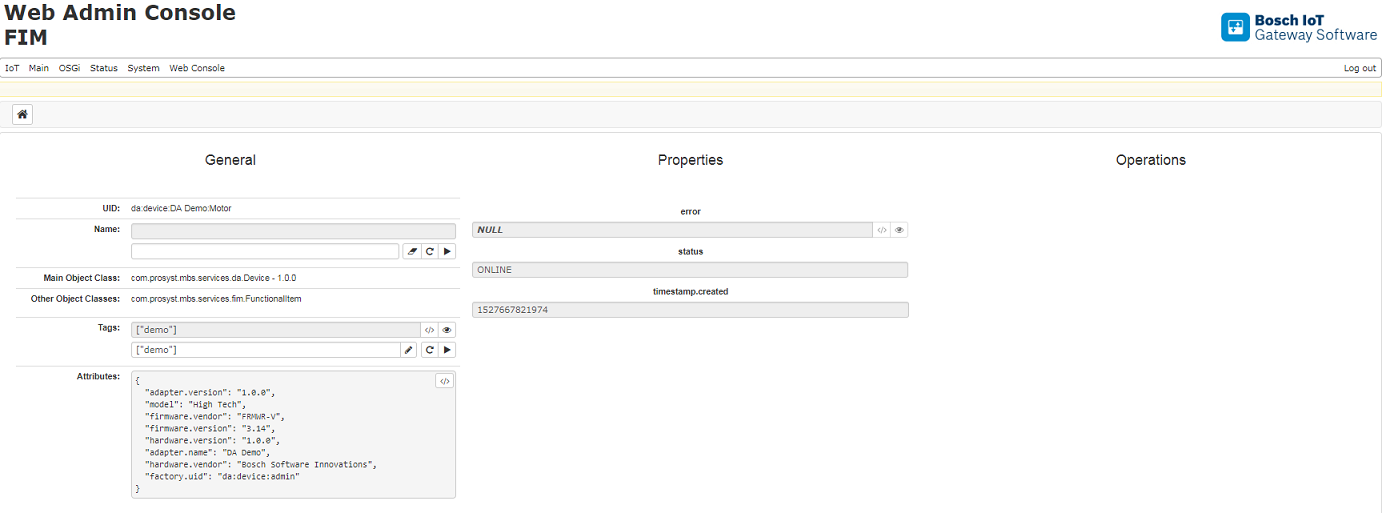
The next example shows how the Device is presented via Functional Item Web Console.
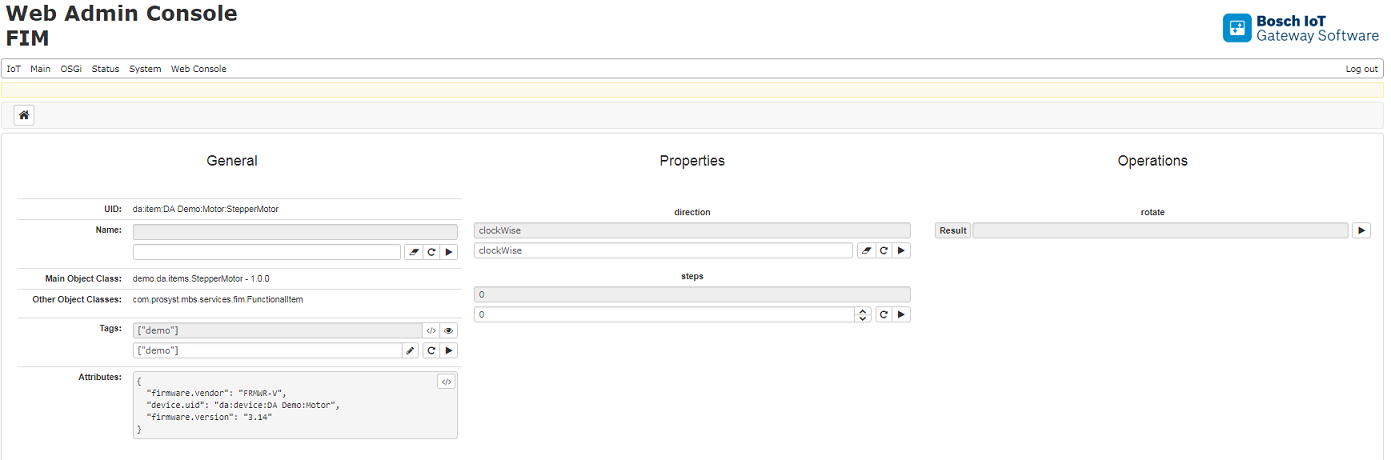
The next example shows how the Device Item is presented via Functional Item Web Console.
Creating a Device with Device Item
The Device will be created via Device Admin Service
da:device:admin
Below you can see the first step in creating a Device.
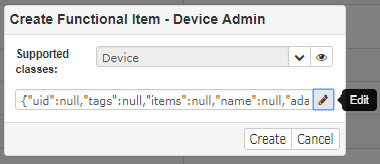
The created device has the following default properties:
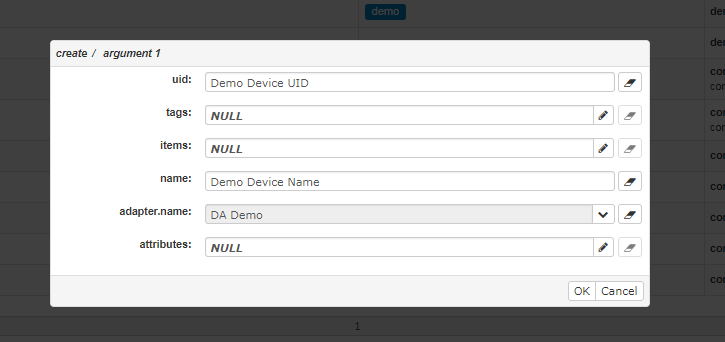
Also this Device will have Device Item with object class com.prosyst.mbs.services.da.items.Opener.
The full Java class name should be provided for the object class.
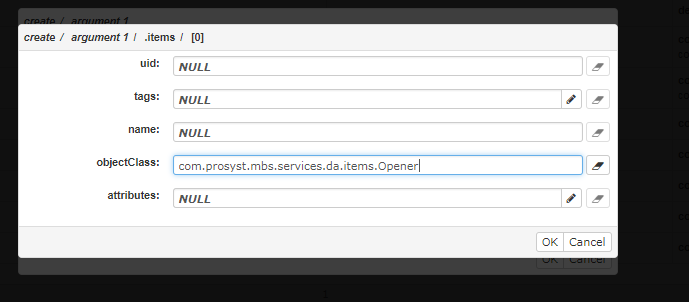
The result is a Device with uid - Demo Device UID, name Demo Device Name and Device Item - com.prosyst.mbs.services.da.items.Opener