To be able to use the functionality provided by the Image Builder make sure that the following requirements are met:
Configure the Runtime Location
Make sure that the directory structure of the OSGi Runtime and JVMs is not altered. If you have made changes, you must explicitly specify the OSGi Runtime location in order to use the Image Builder. To do this:
Select Window > Preferences.
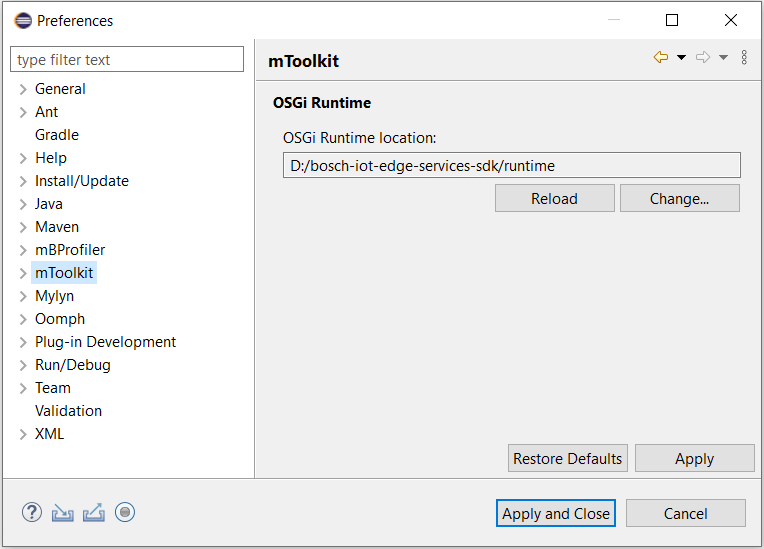
Browse the Preferences dialog page and locate the mToolkit preferences.
Enter the path to the OSGi Runtime or use the Browse button to locate it in the file system as shown on the picture bellow:
Press Apply or OK to set the new location of the OSGi Runtime.
Configure the Target Platform
The current target platform must be one of the predefined SDK ones or a compatible custom tailored one. Do the following to verify the platform:
Select Window > Preferences.
Browse the Preferences dialog page and locate the Plug-in Development > Target Platform preference page.
Check one of the target platform definitions provided by the Runtime (usually their names contain the word SDK).
Press OK or Apply so that the changes you have made take effect.