


|
|
|
|
|
The mBProfiler Agent communicates with the VM through a two-way function call interface called JVMTI. JVMTI utilizes so-called "bytecode instrumentation". This means that profilers, in order to collect profiling information, should modify the bytecode of profiled application, inserting at certain points some supporting bytecode instructions. On one hand, the VM notifies the mBProfiler Agent of various events, corresponding to, as an instance, heap allocation, thread start, etc. On the other hand, mBProfiler Agent issues controls and requests for more information through the JVMTI. The JVMTI interface is a technology provided by Sun which is inseparable part of most of the VMs available on the market. For details on JVMTI, please refer to its online documentation.
The mBProfiler Agent allows you to start the OSGi Runtime framework for remote profiling, thus giving you the opportunity to track the performance of the framework as well as of each currently active bundle in the following execution areas:
You can monitor and control the profiling process as well as analyse the received data through the mBProfiler. It is a convenient user interface available as a plugin for the Eclipse environment.
Starting the OSGi Runtime for Remote Profiling
The mBProfiler Agent is included in the OSGi Runtime installation in each OS-specific folder lib/framework/runtimes/<os_name>. JVMs for which the mBProfiler Agent is available are: JDK, Aonix Perc® Ultra and Skelmir CEE-J® VM.
Start the OSGi Runtime
The agent should be available in the system path, the PATH environment variable on Windows or the LD_LIBRARY_PATH environment variable on Linux should contain a path to the library's parent directory. If you use the server script to start the framework, it is automatically set up.
To run the OSGi Runtime in profiling mode, open a command prompt into the bin/vms/<vm_name> directory and use the following command line:
server profiler [jvmti] [suspend] [port <port_number>]
By default, at startup the JVM will connect to an already running and listening mBProfiler and will commence its execution sending profiling information. By default, the address of the listening mBProfiler is set to "localhost" and the port – to "5115".
If the JVM of the runtime support JVMTI, include the jvmti option in the command line.
Use the suspend option to start the JVM in "attaching" profiling mode – it will not commence its execution until an mBProfiler connects to it. Thus, you can evaluate the performance of the OSGi environment during its startup as well.
By default, the JVM is configured to listen for mBProfiler requests on port 5115. If the port for profiling should be changed, use the port <port_number> additional option.
Start and Connect mBProfiler
To start mBProfiler in a remote profiling session with the OSGi Runtime framework:
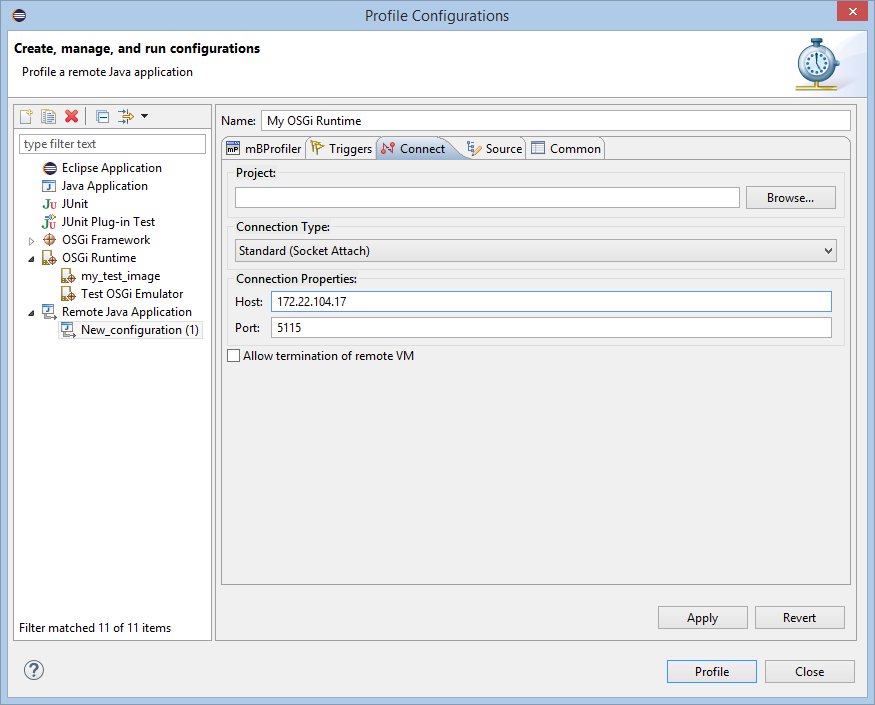
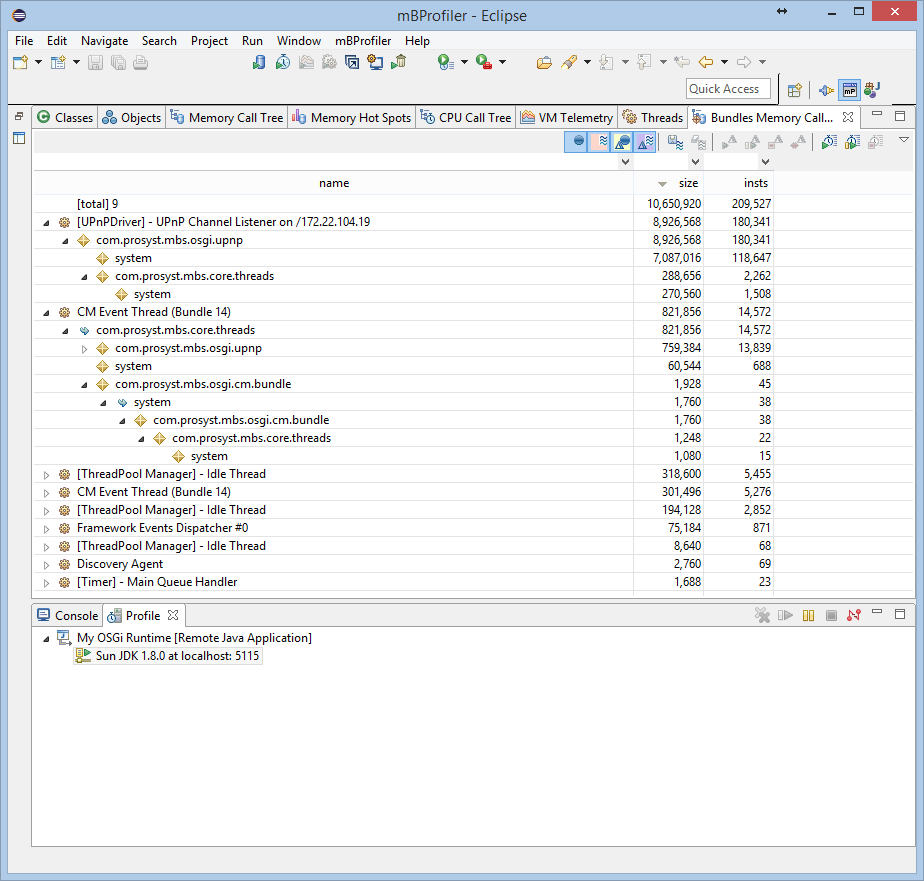
When the connection between the OSGi Runtime started in remote profiling mode and mBProfiler is established successfully, mBProfiler will switch you to the mBProfiler perspective where it will begin to display the transmitted profiling data:
Files and Directories Related to the mBProfiler Agent
In the lib/mbprofiler-agent directory of the OSGi Runtime installation, you can find the com.prosyst.mbs.mbprofiler.api.jar, which is required in case you want to integrate the Profiler API in bundles. The API provides methods to trigger profiling actions on certain stages of a program's execution.
The folder also contains com.prosyst.mbs.mbprofiler.bcm.jar which adds additional functionality (see Enabling Byte Code Modification for JVMTI).
The mbprofiler-agent directory roots the runtimes one which holds the native libraries of the mBProfiler Agent for Windows and Linux OSs.