


|
|
|
|
|
mBProfiler allows you to filter the displayed profiling data thus allowing you to analyse it on smaller portions. For example, you can examine the allocated memory only for the classes part of the java.util package. The fields where you can enter filters are located at the top of each table column of each view except for VM Telemetry.
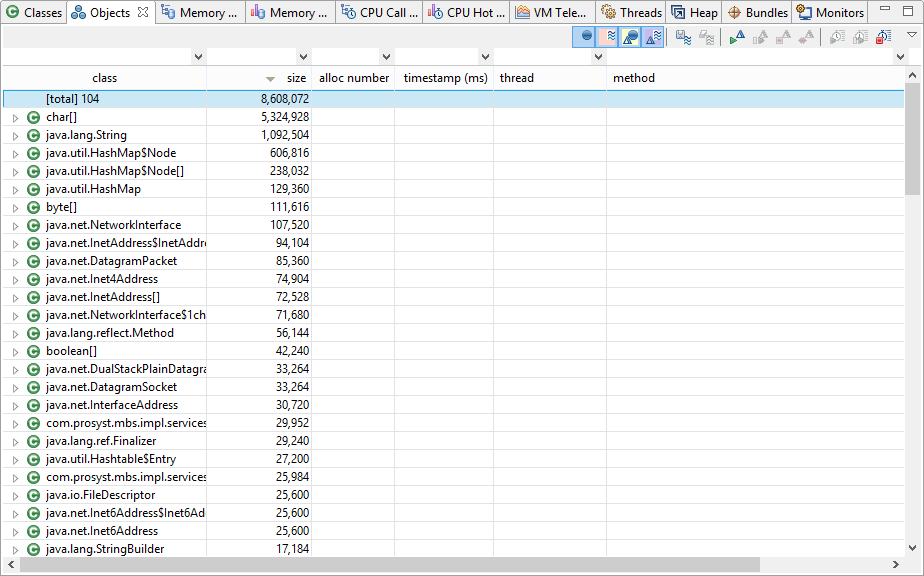
Conventional Filters
You can define String and int filters. In this case, though the children of a node are filtered, the parent remains visible.
The String filters are case sensitive and are meant for all table columns that contain String values, like class and package. Respectively, the int filters are applicable to the columns holding int values, like size, diff size, etc.
There are two rules for defining Sting filters:
Here is an example for a String filter: java util !lang
The result from applying this filter to the table will be that all classes from packages that start or contain the strings java and util in their names, will be displayed, but none of them will contain lang.
The int filters are defined in the following way:
To save a filter in the history, press ENTER in its field.
By default, in the Memory Call Tree, CPU Call Tree, Bundles Memory Call Tree and Monitors, the filters are applied only to frames not to threads. In case you want to filter the threads, enter the thread: <thread_name> filter in the name column. For example, if you want to view only the main thread, enter thread:main in the name column.
For the Heap view, you can apply String and int filters only to the two topmost levels of the references tree. To narrow information from deeper levels, use filters of the type ref:<type> for the object column. For example, to view references of type java.lang.StringBuffer, apply the filter ref:StringBuffer.
Custom Filters
mBProfiler supports custom in-depth filters which operate on data deep within the model applied into the relevant profiling view.
By means of custom filters, you can quickly switch from one view (one model of data representation) to another with only information of interest remaining visible:
Custom filters have the custom filter: <filter> form and cannot be defined by the user but only internally by mBProfiler.