


|
|
|
|
|
Each mBProfiler view provides controls for starting, stopping and suspending the corresponding profiling session: memory, CPU, threads and VM telemetry. The Heap and Monitors views, however, do not have such controls, as they are meant to represent only snapshots of the profiled application's state.
The profiling session controls are available as view toolbar buttons:
 (Start Profiling) – Starts the profiling session. If there are any results from a previous profiling session, they will be cleared.
 (Continue Profiling) – Resumes profiling after a previous stop. The results from the profiling before pressing this button are not cleared but are added to the results from the current profiling
 (Stop Profiling) – Stops the profiling session.
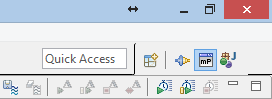
There are also commands provided in the mBProfiler menu and in the perspective's toolbar:
 (Start Memory Session) – Starts a memory profiling session.
 (Start CPU Session) – Starts a CPU profiling session.
 (Start VM Telemetry Session) – Starts a VM telemetry session.
 (Start Threads Session) – Starts threads profiling session.
 (Take a Heap Snapshot) – Takes a heap snapshot.
 (Take a Monitors Snapshots) – Takes a monitors snapshot.
 (Run Garbage Collector) – Runs the garbage collector.
Starting both memory and CPU profiling is not recommended. It might decrease the performance of the profiler agent and of the profiler frontend, as well as distort the results.