


|
|
|
|
|
The Web Console is a developer tool and must not be used in production.
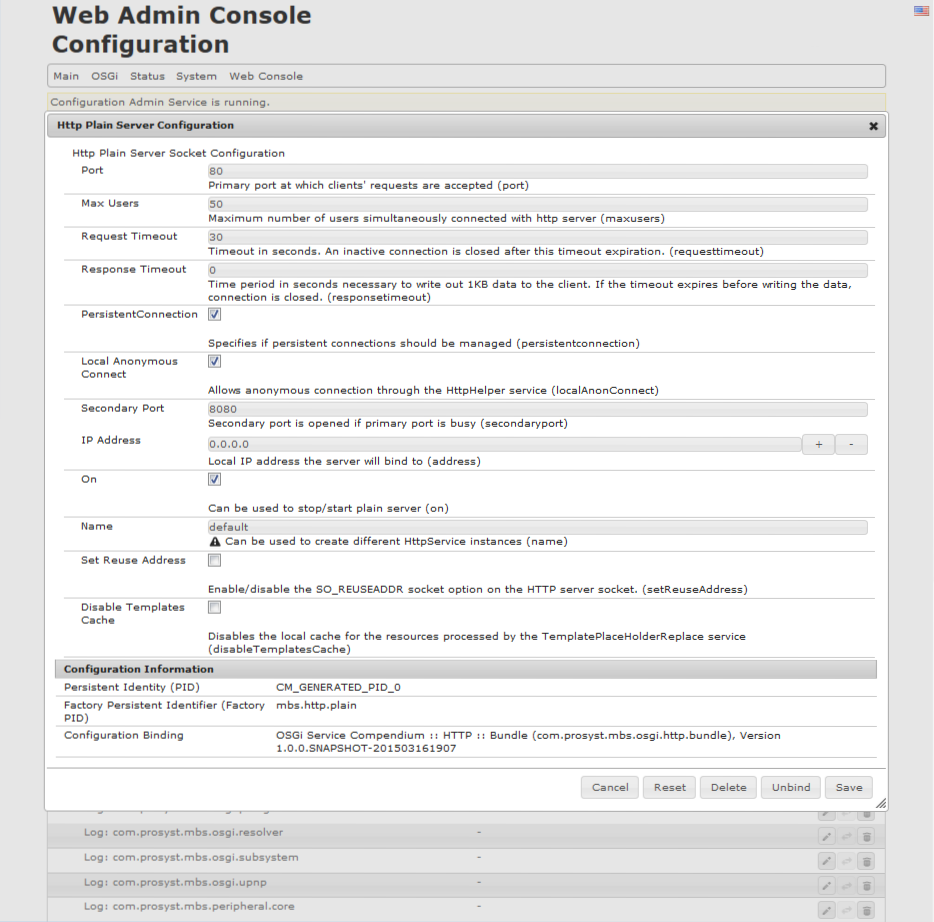
The <Configuration_Name> Configuration property editor dialog for a single configuration is shown in the figure below. There is a set of buttons for manipulating the displayed configuration at the bottom right corner of the dialog.
To edit the value of a configuration property:
 or
or  buttons to add more values (they appear only for properties of array type).
The new value you have defined for the property will not be set to the configuration unless you press the Save button.
Use the Reset button to clear all values of the configuration properties without actually modifying the configuration. Then you can enter new configuration properties. Use the Abort button to cancel the edit operation.
The Configuration Information pane holds the PID (and FPID) of the selected bundle configuration and the bundle that provided the configuration.
To unbind a configuration set from the desired bundle, use the Unbind button. To remove the configuration from a selected bundle, use the Remove button from the <Configuration_Name> Configuration property editor dialog (refer to the section above).