


|
|
|
|
|
The Web Console is a developer tool and must not be used in production.
To view or edit the configuration resources of a bundle, navigate to the Configuration page through the corresponding navigation tab. Available configurations and factory configurations are displayed in the Configurations table that has the following columns:
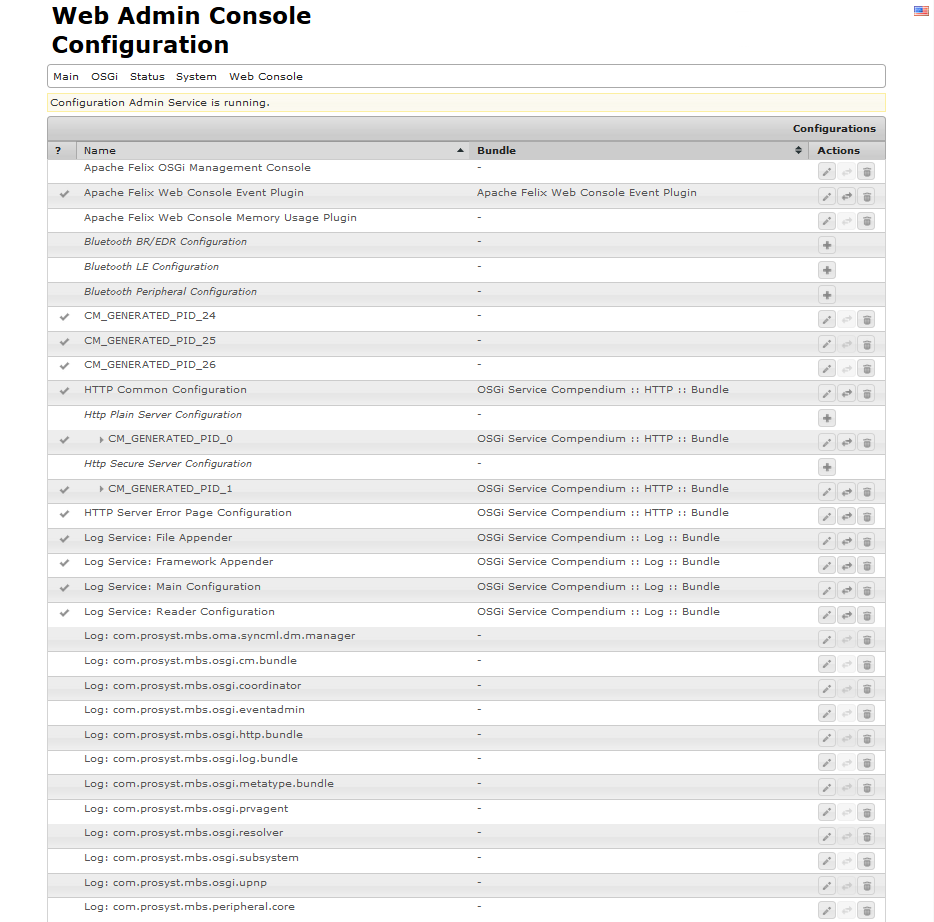
When you select a bundle configuration, its properties appear in the <Configuration_Name> Configuration property editor dialog (see figure below).
The <Configuration_Name> Configuration dialog is a property editor that allows you to view and edit the configurable resources of a bundle. The Configuration Information section of the dialog holds information about the bundle providing the configuration and its registration PID and FPID.
The  button removes the selected configuration from the bundle while it is still running. Though it is still kept in the "CONFIG" custom database created in the DB bundle. Note that restarting the bundle will not automatically bind its configuration to it. To do so, select the configuration and press Save in the <Configuration_Name> Configuration property editor dialog.
The  button will remove the selected configuration set from the bundle if it is stopped. Starting the bundle will not automatically bind the bundle to the configuration set.