Follow the general steps for discovering and connecting BLE devices.
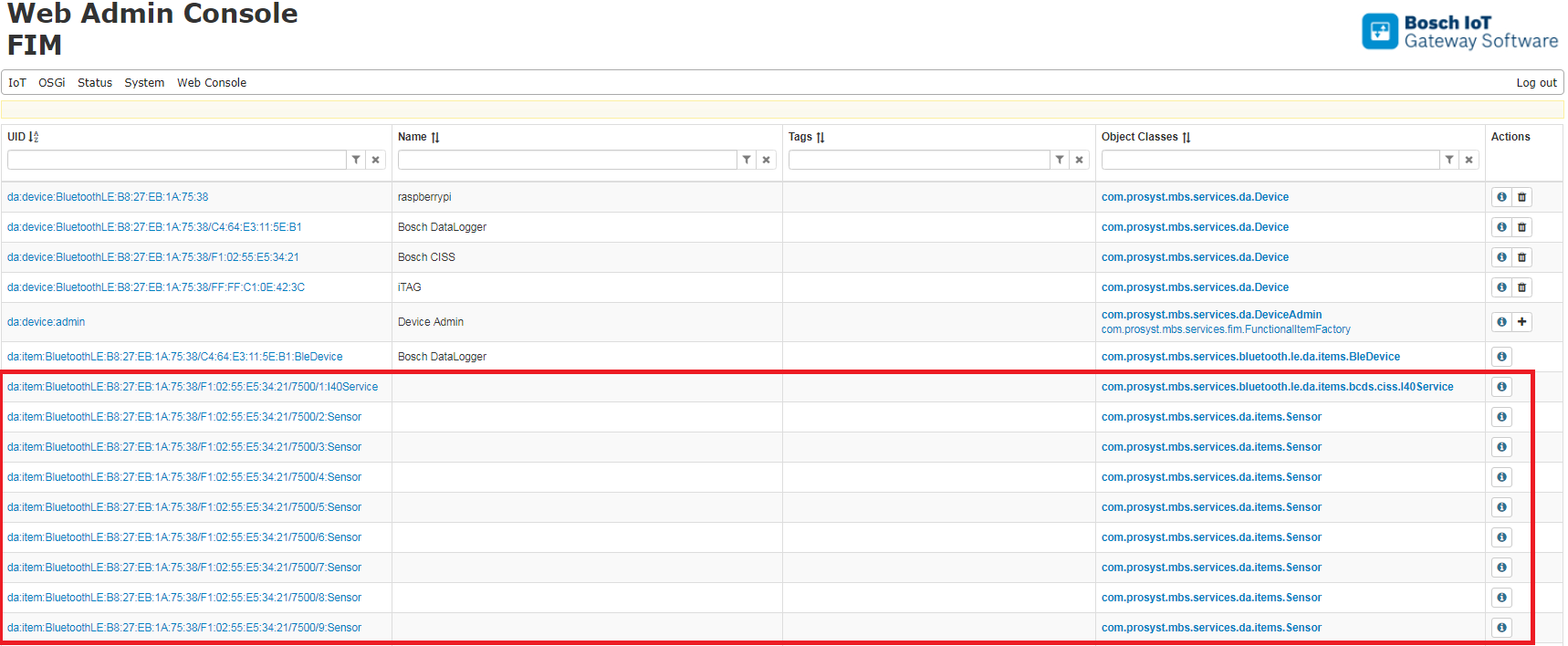
After successfully connecting a CISS device, a number of new Device Items representing the I40 Service will be registered:
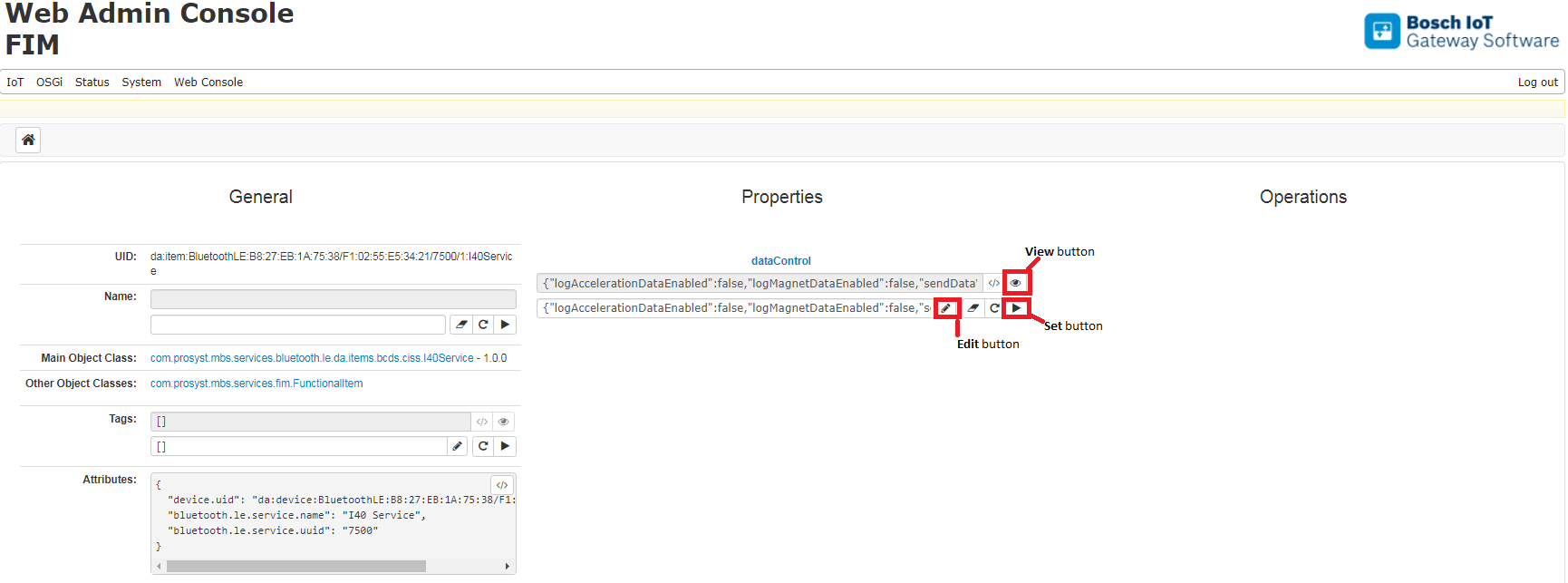
To configure the I40 Service, click the button of the com.prosyst.mbs.services.bluetooth.le.da.items.bcds.ciss.I40Service item. On the resulting Service Item page, you will have options to View, Set or Edit the dataControl property.
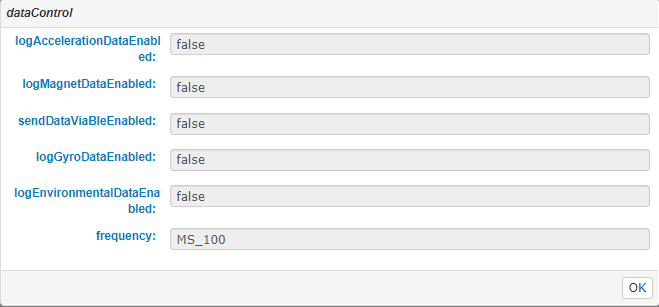
The dataControl property contains the current configuration of the service. To review it, click the View button: The following configuration properties are available:
sendDataViaBleEnabled: This is the "master switch" of the I40 Service - to be able to receive any sensor data through Bluetooth LE, it must be set to TRUE
logAccelerationDataEnabled: Indicates the state of acceleration sensor
logMagnetDataEnabled: Indicates the state of magnetic sensor
logGyroDataEnabled: Indicates the state of gyroscope sensor
logEnvironmentalDataEnabled: A combined switch for the temperature, humidity, pressure, light and noise sensors
frequency: Indicates the frequency with which the enabled sensors will generate events. The available values are MS_10 (100 milliseconds), MS_100 (100 milliseconds), S_1 (1 second), S_10 (10 seconds), S_30 (30 seconds), M_1 (1 minute), M_10 (10 minutes)
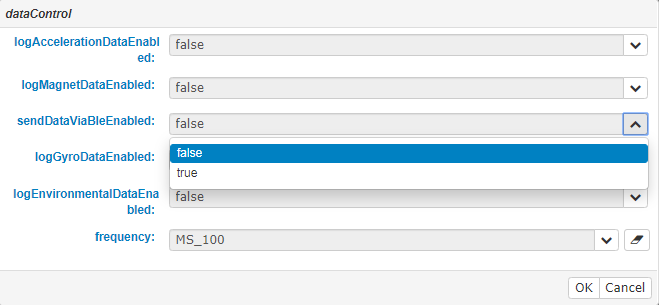
To change the configuration, first click the Edit button:
Edit the properties you want to change, click OK, and then click the Set button
In some environments, setting the frequency property to a value lower than S_1 may overload the underlying communication layers, and the refresh rate of the sensor data may actually decrease.
If you disconnect and then reconnect the CISS device, the sendDataViaBleEnabled property will be reset to FALSE. To receive sensor data after reconnecting, you must set it back to TRUE.


 button of the com.prosyst.mbs.services.bluetooth.le.da.items.bcds.ciss.I40Service item. On the resulting Service Item page, you will have options to View, Set or Edit the dataControl property.