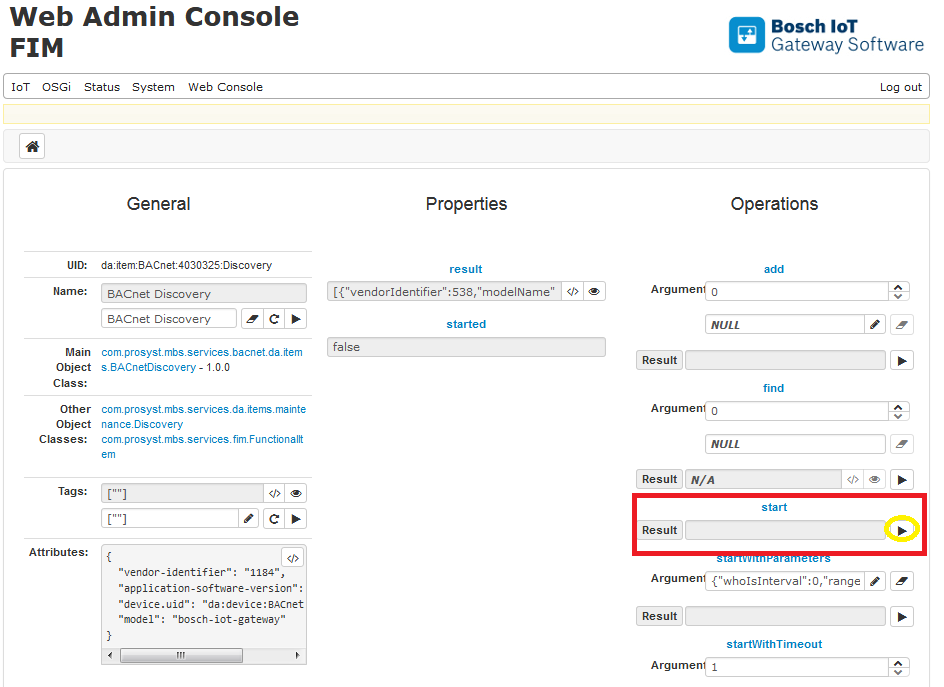
The BACnet Discovery functional item is the interface for the control and management of the discovery process. The BACnet discovery process consist of periodically sending Who-Is massages to the BACnet network and processing the received responses. The functional item has a fixed UID da:item:BACnet:Controller:Discovery and it has the following properties and operations:
property started – boolean property that indicates if any discovery process is currently running or not.
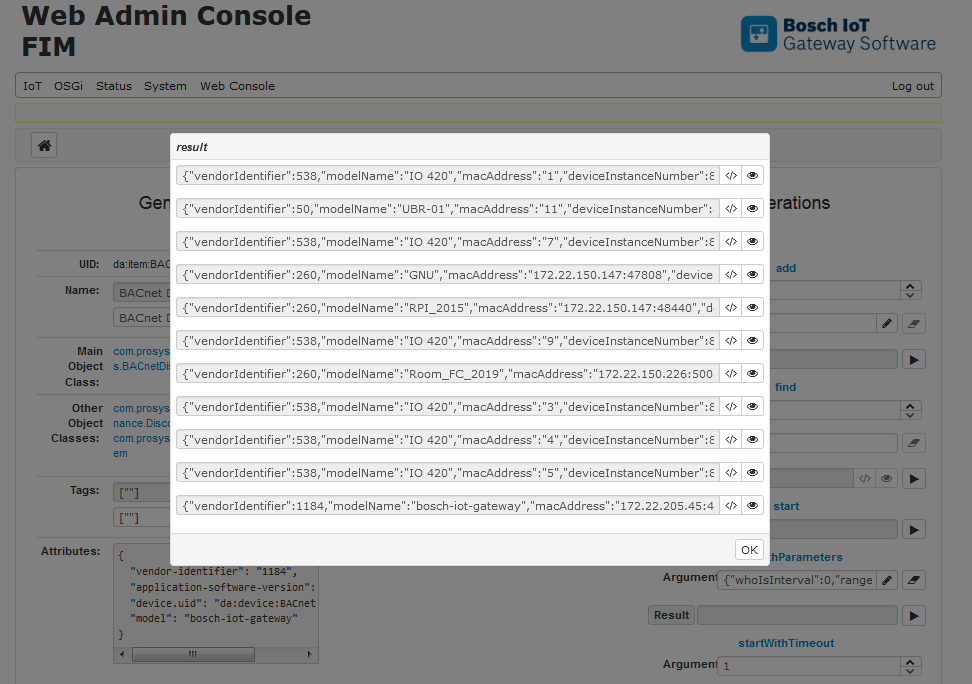
property result – holds the set of discovered BACnet devices that are not added to the system yet. For each discovered device the following information is available:
device instance number
device name
vendor identifier
model name
network number
MAC address
operation start – starts a new discovery process for all the configured devices in the controller. Notifications for any discovered devices will be delivered through change events for property result or new BACnet devices will be registered in the system if auto-add configuration option is enabled. The start operation will run until it is not cancelled with operation stop.
operation startWithTimeout – similar to operation start, but it will automatically stop after the given timeout.
operation startWithParameters – similar to operation start, but it will use the given operation arguments as search parameters.Search parameters include lower and upper bounds of a range of device instance numbers, whether a global broadcast Who-Is message shall be sent to the BACnet network, the interval between two consecutive Who-Is messages, timeout for automatic stop of the process.
operation stop – cancels any running discovery process.
operation add – adds discovered BACnet devices to the system. This means that information about the discovered device will be removed from the set of property result and registered as a new Device functional item in the OSGi registry.
operation find – searches for a BACnet device identified by its network number and MAC address.
Using the BACnet Discovery Functional Item
The screen shots from the Web console below show how to make use of this functional item.
Open da:item:BACnet:Controller:Discovery.
The device itself can be configured from the BACnet Local Device Configuration. If not configured it is autogenerated from the MAC address of the box.
The Operations section contains the options to start add and find devices.
Start the discovery by clicking the invoke (play) button of the Start operation.
After some time the result will appear in the result field. By clicking on the eye icon you can see more details for the discovery result. You can see the network numbers of your devices.