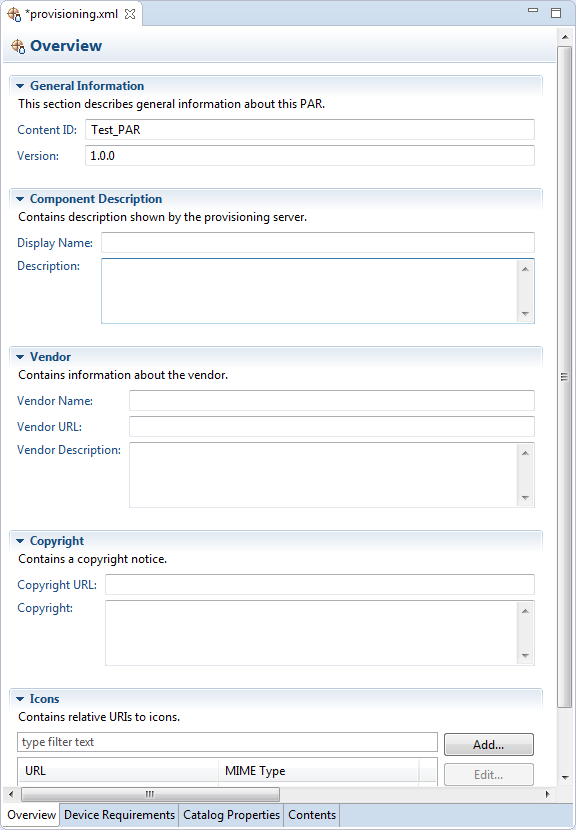
In the Overview tab of the PAR Editor you can modify the general properties you have specified at PAR Project creation as well as extend them with new attributes such as icon, copyright info, etc.
Save provisioning.xml to apply the changes you have made on the properties.
Properties Description
The PAR attributes in the Overview tab of the editor have the following meaning:
General Information - Content ID and version that identify the group of components within the PAR file in the backend Software Repository.
Component Description - Descriptive information of the PAR file.
Vendor Information - Descriptive information about the vendor.
Copyright Information - Copyright notice
Icons - Icons for showing the application components within the PAR file on a device.
To add an icon:
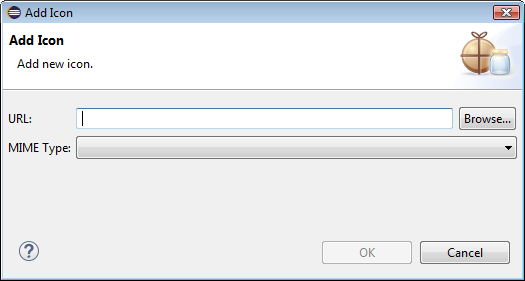
Click the Add button to specify a PNG, JPEG or GIF locally stored image.
In the Add Icon dialog, browse to the location of the icon and select its MIME type.
Click OK.
Launch PAR Generation
You can directly initiate PAR file generation from the Overview tab by clicking the Export PAR action from the PAR Actions section on the right.