


|
|
|
|
|
Setting up the Environment for using the FIM plugin
Set up the environment for the ZigBee Module by executing one of the "ZigBee <coordinator_brand> with DA Support" install scripts and then install the Working with web console with the FIM or plugin. For example:
kitman.i "ZigBee Freescale with DA Support"
or
kitman.i "ZigBee Telegesis with DA Support"
or
kitman.i "ZigBee TI with DA Support"
or
kitman.i "ZigBee Ember with DA Support"
kitman.i "Functional Item Management Web Admin"
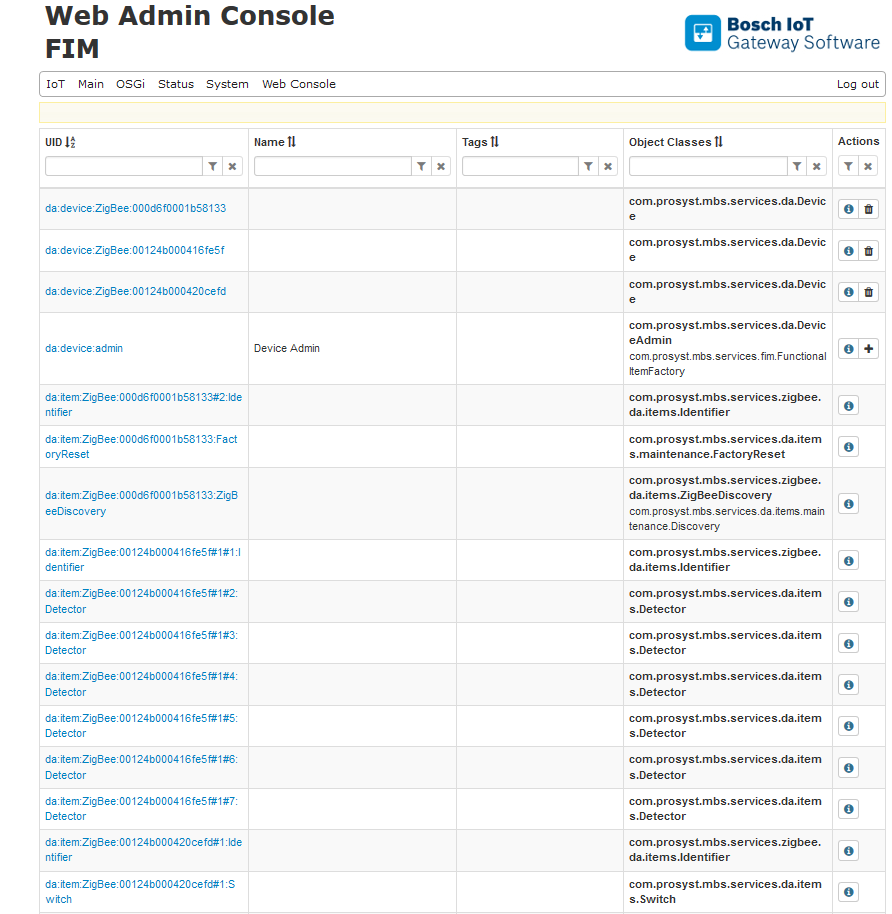
Displaying Devices
Adding Devices
To add end devices to the coordinator, set it to "pairing" mode.
 button.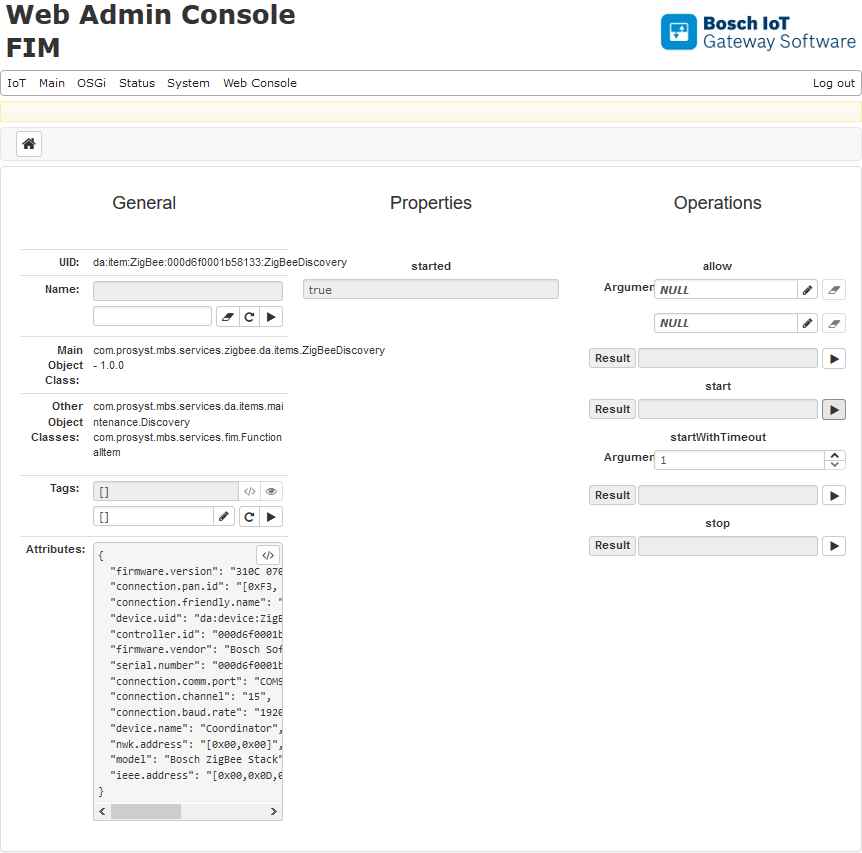
Execute the Stop operation if no timeout is specified.
Controlling Devices
Once the devices are registered in FIM, you can use their device items (DI). Functional commands can be launched through the device items of the endpoint home devices.
To send a command to a ZigBee device:
button.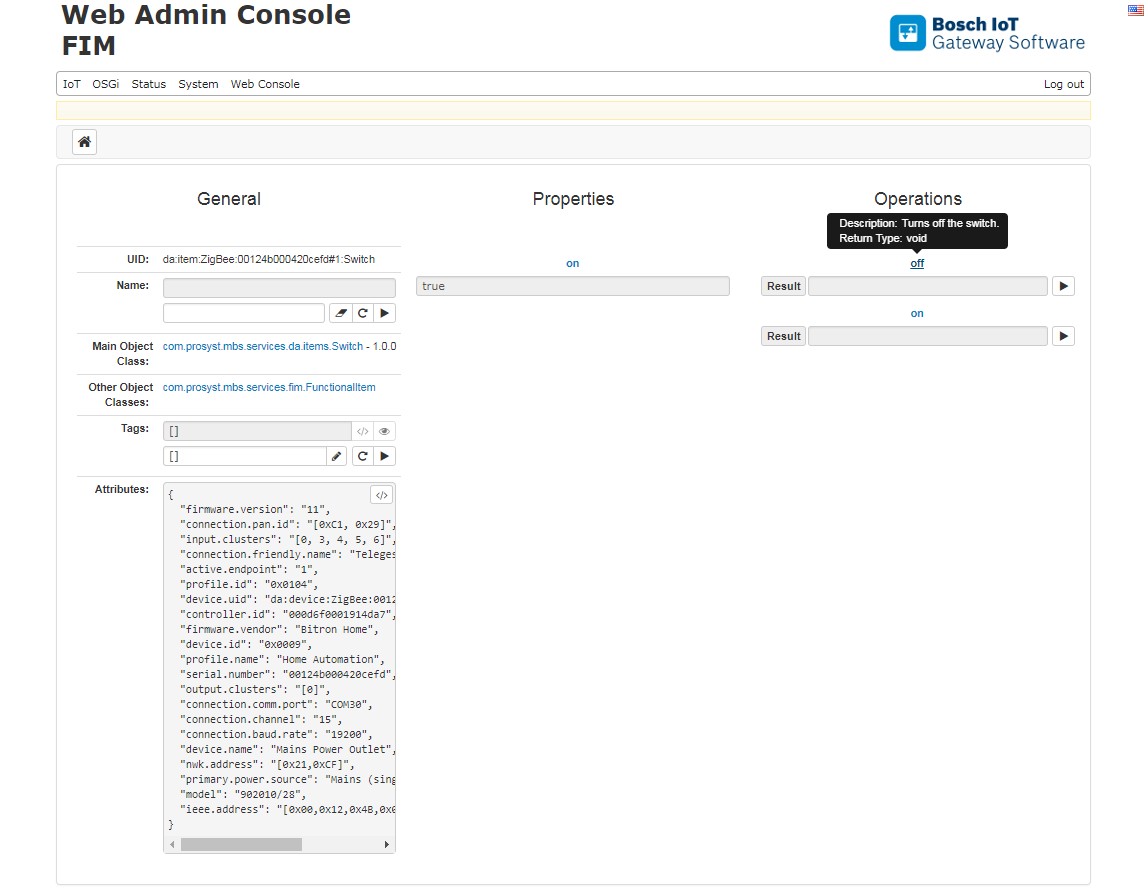
Removing Devices
You can unregister from the OSGi platform only a parent ZigBee home device, which stands for the physical device. Removing an endpoint home device is not allowed. To remove a parent home device:
 button to unregister the device.