|
|
|
|
|
Setting up the Environment for using the HDM plugin
Set up the environment for the ZigBee Module by executing one of the "ZigBee <coordinator_brand> with DA HDM Support" install scripts and then install the Working with web console with the HDM or plugin. For example:
kitman.i "ZigBee Freescale with DA HDM Support"
or
kitman.i "ZigBee Telegesis with DA HDM Support"
or
kitman.i "ZigBee TI with DA HDM Support"
or
kitman.i "ZigBee Ember with DA HDM Support"
kitman.i "Device Access HDM Web Admin"
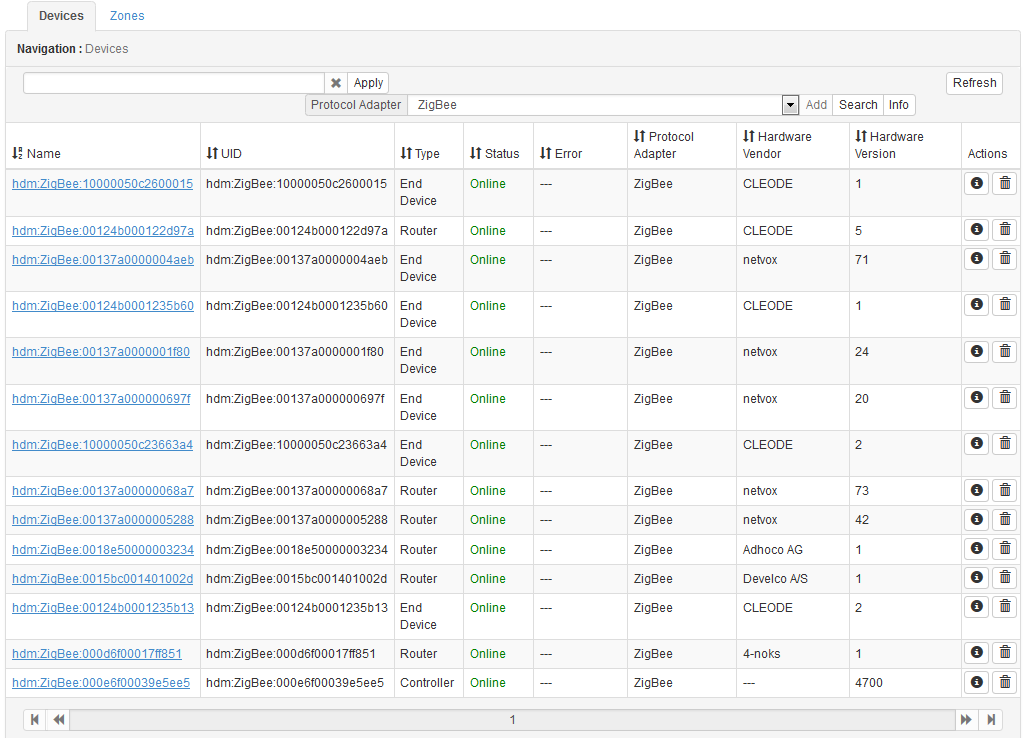
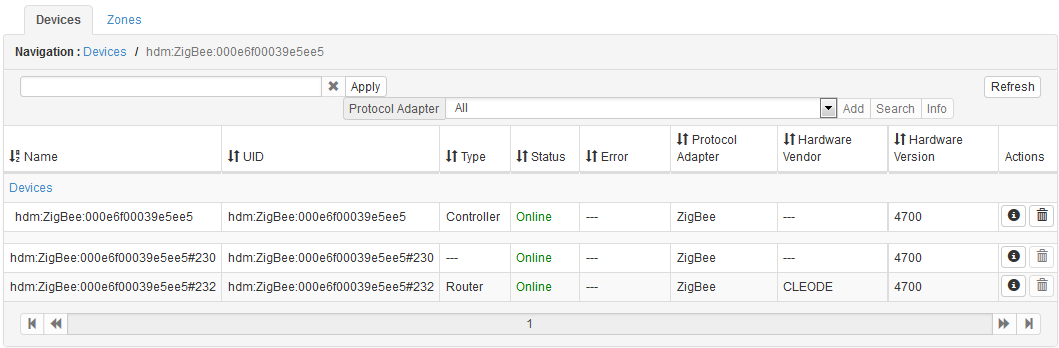
Displaying Devices
Adding Devices
To add end devices to the coordinator, set it to "pairing" mode.
 button and locate the Advanced Network Controller device class object.
 button to execute the operation.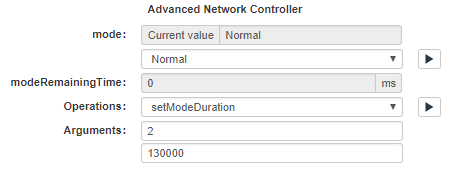
button to apply the change.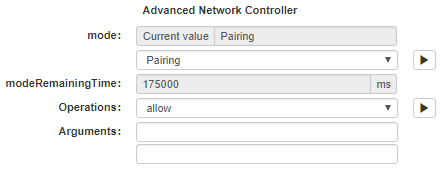
Controlling Devices
Once the devices are registered in HDM, you can use their device class objects (DCO). Functional commands can be launched through the device class objects of the endpoint home devices.
To send a command to a ZigBee device:
button.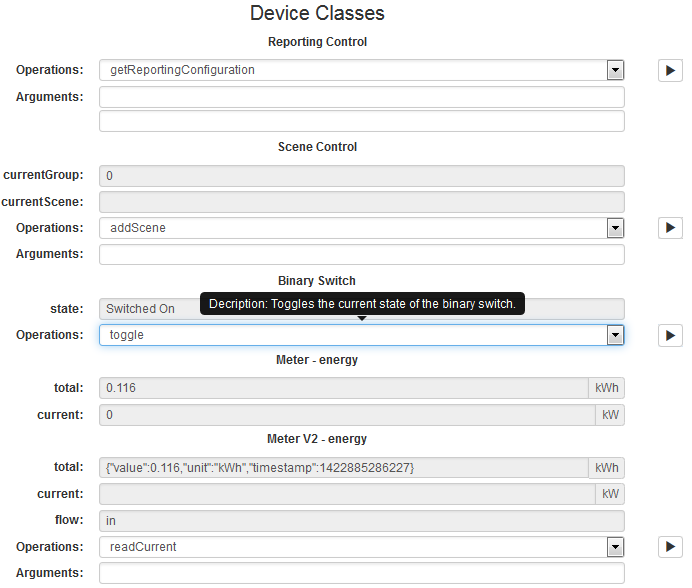
Removing Devices
You can unregister from the OSGi platform only a parent ZigBee home device, which stands for the physical device. Removing an endpoint home device is not allowed. To remove a parent home device:
 button to unregister the device.
EZ-Mode Commissioning
The EZ-Mode Commissioning process consists of two basic stages - Network Steering and Find and Bind.
Network Steering
The objective of the Network Steering stage is to join a device to a network, therefore the steps taken in this stage depend on whether the device was already a member of a network or not.
If the device is a coordinator it attempts to form a network. After successfully forming a network, the coordinator enables its 'permit joining' functionality for a duration of the EZ-Mode time (default is 3 minutes) and broadcasts this 'permit joining' time. This allows other devices to join the network during this time.
If the device is a Router or an End Device it will join the network with the best RSSI (Received Signal Strength Indicator) value. After successfully joining a network, a router enables its 'permit joining' functionality and broadcasts this 'permit joining' time.
If the device is already a member of a network, the Network Steering process involves opening the network to allow other nodes to join it.
Find and Bind
Once a new node has been introduced into a network, the 'Find and Bind' stage allows to bind the node with another node - for example, a new lamp can be paired with a controller device, to allow controlling this lamp.
The objective of this phase is to bind an endpoint on a device to a compatible endpoint on a device in the network (depending on the supported clusters). In the Find and Bind stage, a device can have one of two roles in the EZ-Mode Commissioning:
The intended outcome is a binding between the initiator and the target. Usually, the initiator is a controller device. During the Find and Bind stage, it is necessary to put into 'identification' mode (of the Identify cluster) all of the target devices with which the initiator will be paired. For example, if a light-switch is to control three new lamps then all three lamps must be put into identification mode (e.g. by pressing buttons). At this stage both devices must support Identify Cluster.
The following steps describe the 'Find and Bind' process:
When a remote device is paired to the controller, if necessary, it provides binding entries to the remote device, which is a reverse direction of binding and is used for attribute reporting.
When a controller performs EZ-mode commissioning as Initiator it is required to specify the ZCL clusters exposed for binding. It can be done by specifying the device type of coordinator with which it participates in the EZ-mode commissioning. The "initiatorType" property is relevant only when EZ-mode commissioning is activated as Initiator.
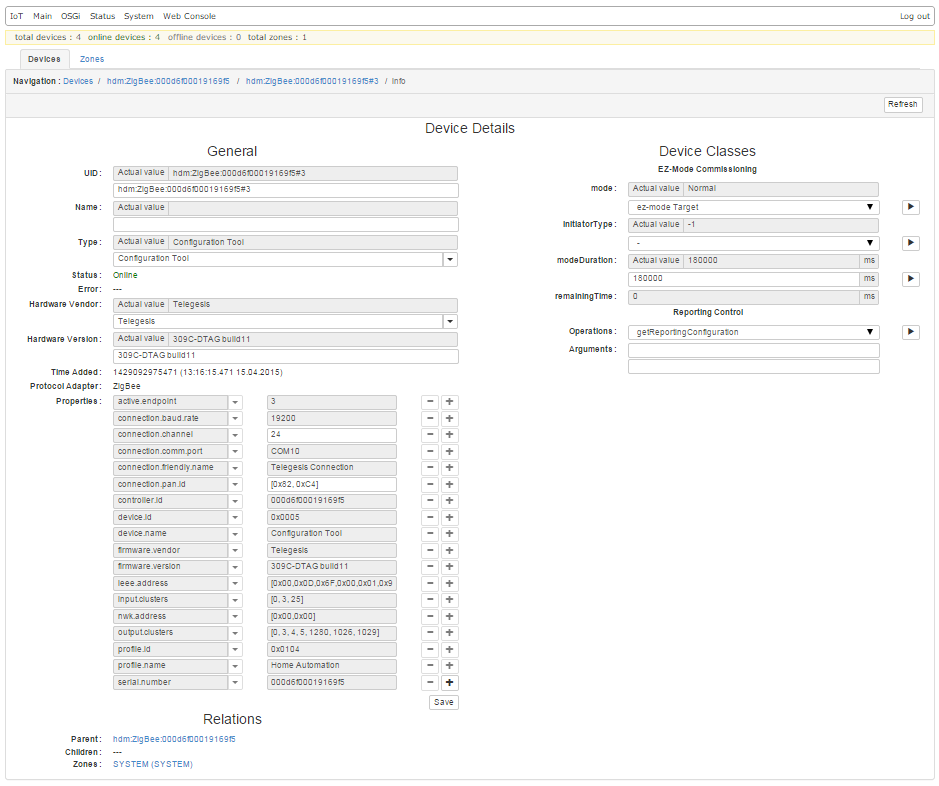
The following picture represents commissioning EZ-mode as initiator.
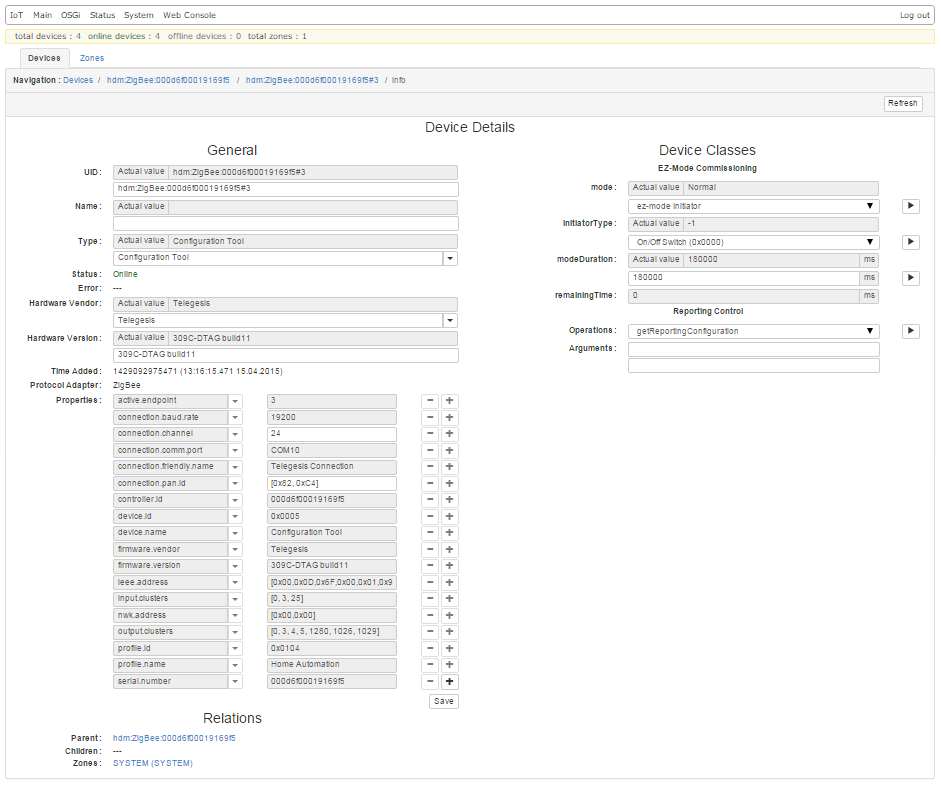
The following picture represents commissioning EZ-mode as initiator.