


|
|
|
|
|
When Bosch IoT Gateway Software is integrated with Azure IoT, changing a functional item property should change with the new value in Azure IoT.
The property has readable or eventable access AND the twin representation is explicitly enabled in the Device Visibility Configuration.
The below example will walk you through the steps of changing functional item property via the Web Admin Console.
To follow the example, install the pre-configured Device Access Protocol Adapter Demo with a set of available protocols. To learn how to get the demo, visit Working with Demos.
1. Open the Bosch IoT Gateway Software Web Console. From the top menu navigate to IoT > FIM.
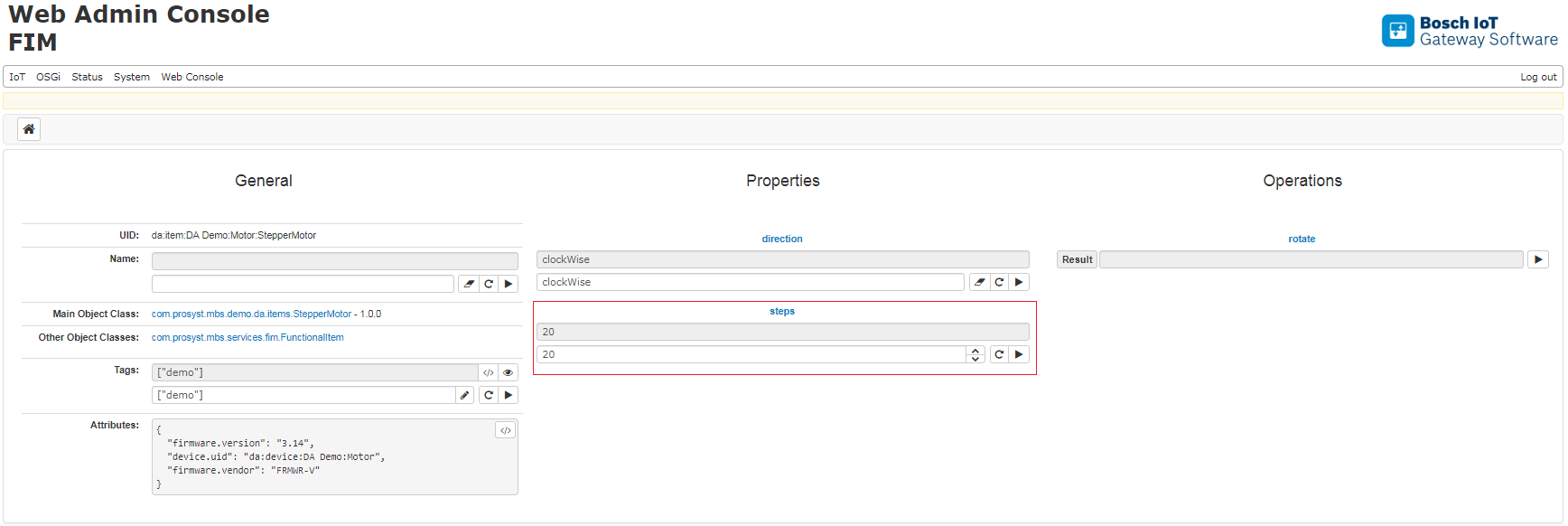
Open functional item with uid da:item:DA Demo:Motor:StepperMotor

2. Change steps property with new value 20
3. Go to Azure portal. Go to your IoT Hub > IoT device and select IoT device with device id da-item-DA_Demo-Motor-StepperMotor and open Device twin.