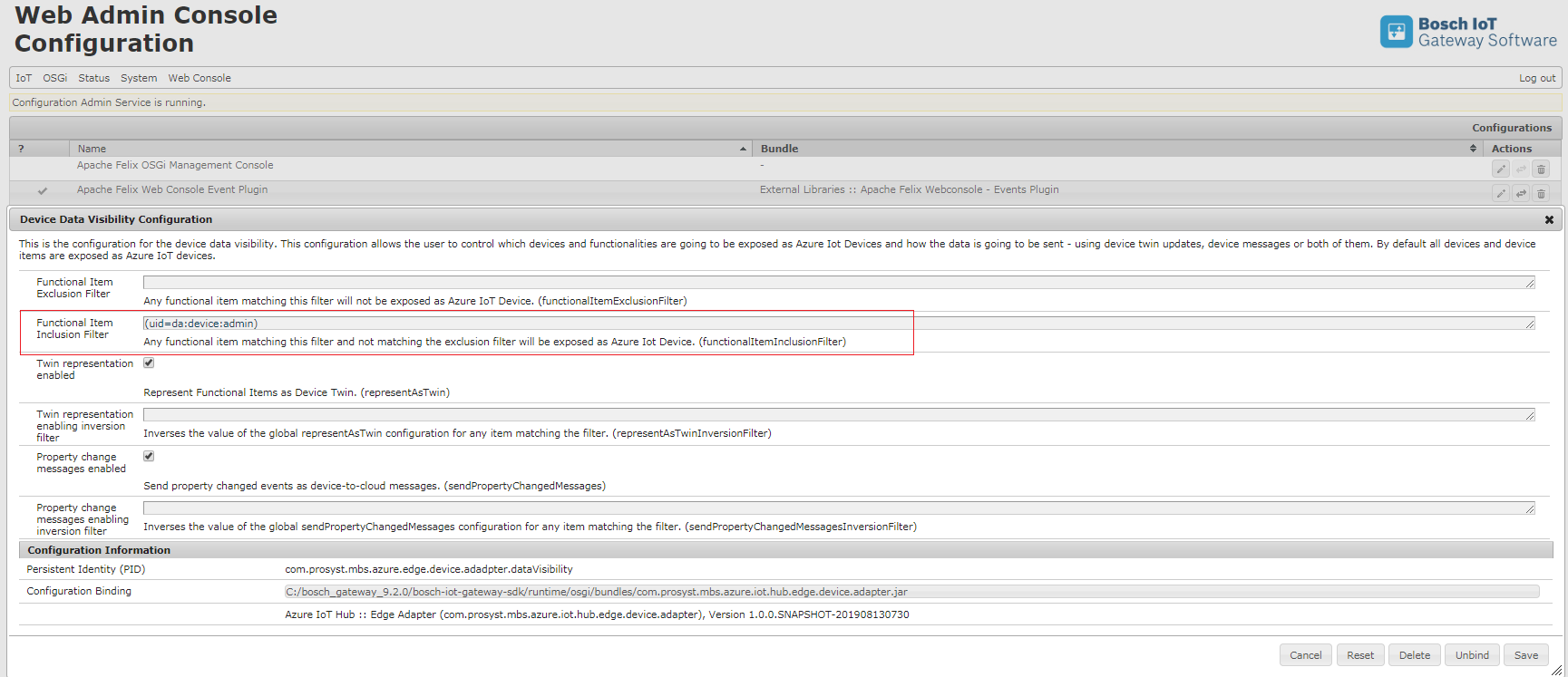
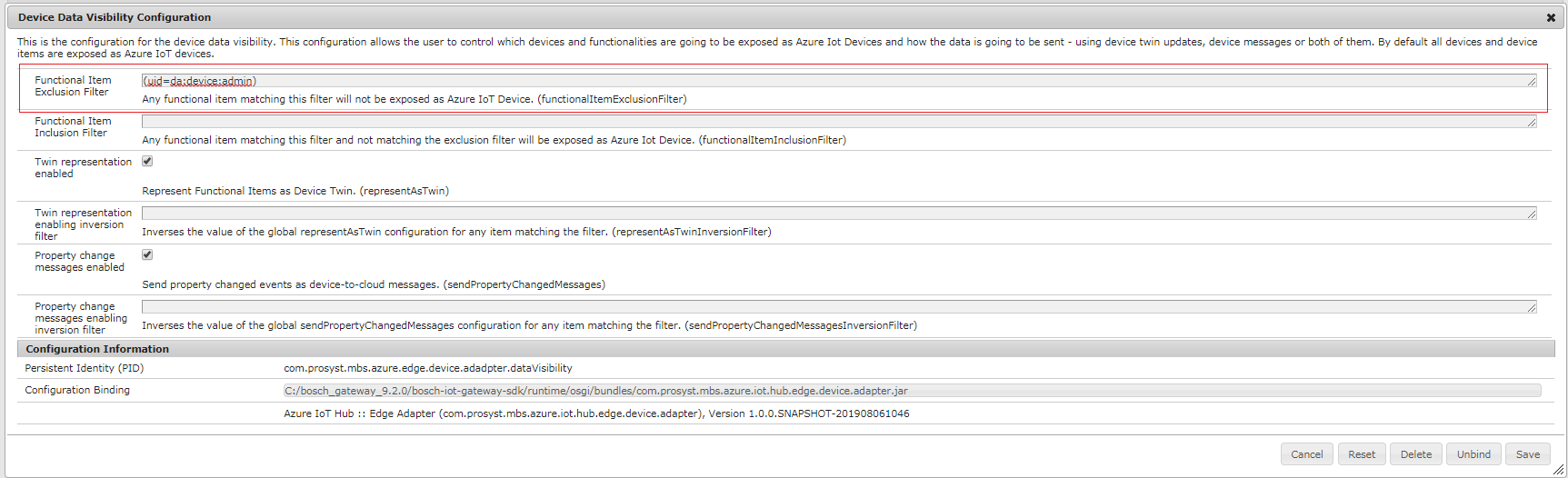
The Bosch IoT Gateway Software integration with Azure IoT Edge provides the ability to filter which device and/or device functionalities will be presented as part of IoT devices in the Azure Infrastructure.
Functional Item Exclusion Filter - any devices and functionalities matching the LDAP filter will be NOT exposed as IoT devices in Azure IoT Hub.
Functional Item Inclusion Filter - any devices and functionalities matching the LDAP filter will be exposed as IoT devices in Azure IoT Hub.
If the device or functionalities match BOTH filters, device or functionalities will be NOT exposed as IoT devices in Azure IoT Hub. The Functional Item Exclusion Filter has higher priority from Functional Item Inclusion Filter.
Including Devices and Their Functional Items
In the Functional Item Inclusion Filter field provide the following filter (uid=da:device:admin). This means that functional item with this uid will be presented as an IoT device.
Select Save.
In the Azure portal go to your IoT Hub > IoT devices and verify that the functional item with uidda:device:admin is available.
Excluding Devices and Their Functional Items
In the Functional Item Exclusion Filter field provide the following filter (uid=da:device:admin). This means that functional item with this uidwill not be presented as an IoT device.
Select Save.
In the Azure portal go to your IoT Hub > IoT devices and verify that the functional item with uidda:device:admin is not available.